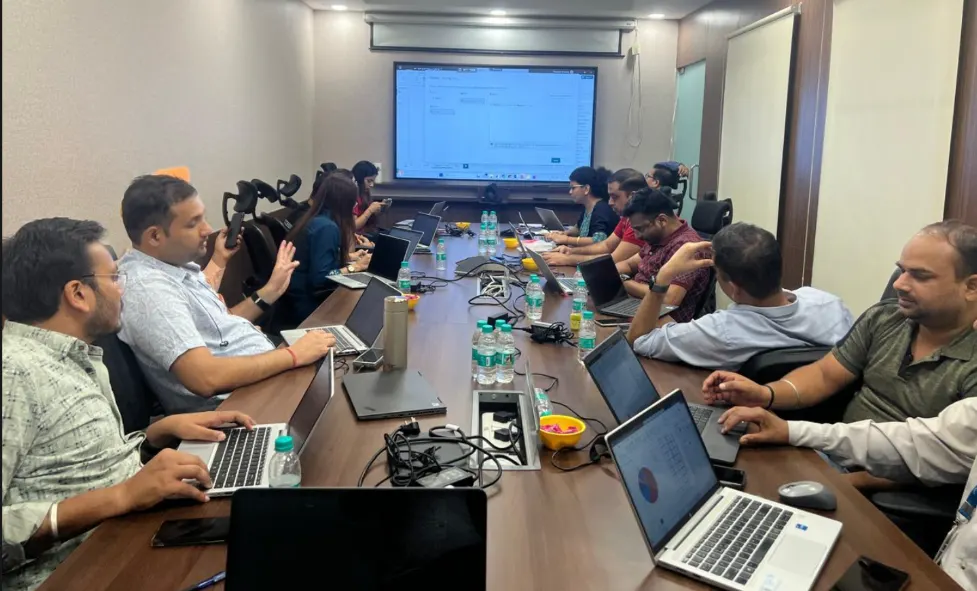
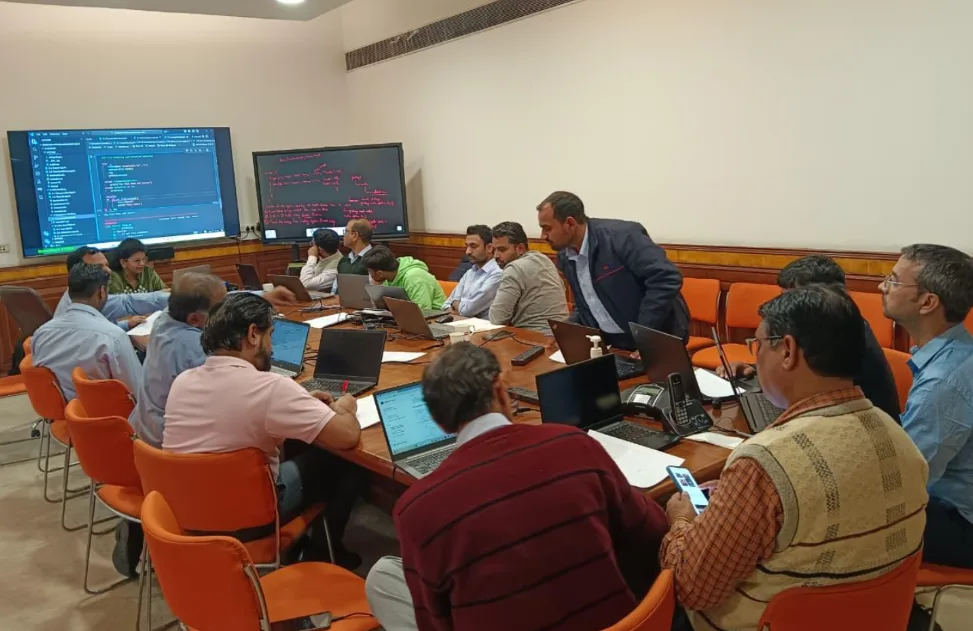
Power BI Corporate Training Overview

Power BI corporate training turns spreadsheet-dependent teams into a group that builds and reads its own dashboards. Gyansetu has delivered 250+ corporate trainings since 2013, and Power BI is now one of the most requested — because almost every department, from finance to operations, ends up staring at the same disconnected Excel files.

Here’s the problem most training vendors miss: teaching Power BI as a standalone tool doesn’t work. Your finance analyst and your operations manager use it completely differently. So training built around generic sample data teaches syntax, not judgment. It’s the difference between knowing what CALCULATE does and knowing when to reach for it on your Q3 sales dataset.

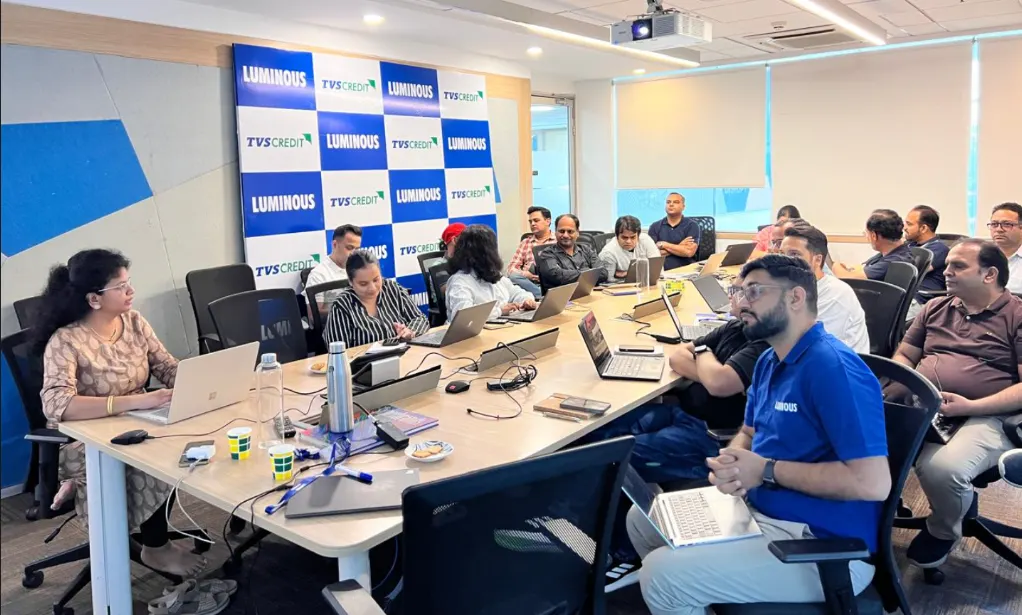
Gyansetu’s approach is different. Sessions run on datasets close to your actual business — retail, finance, manufacturing, logistics, whatever your team works in daily. Trainers are working professionals, not full-time presenters. And batches stay small, typically 5 to 10 participants, so nobody’s question gets lost in a room of 40.

By the end of the program, your team isn’t just clicking through a tutorial. They’re publishing dashboards, writing their own DAX measures, and managing row-level security on live business data. That’s the actual deliverable — not a certificate that says “attended.”
corporate-training-

Key Highlights

Customized Business Data
Post-Training Support
1:1 Doubt Clearing Sessions
Flexible Schedules
Real Business Dashboards
Live Project Presentations

Training Impact

stats
Corporate Trainings Delivered
250+
Professionals Trained
32,500+

Our Alumni in Top Companies

Batches Timing for Power BI Certification Course

Level Total Hours Mode Key Coverage
Beginner 8 hours Onsite/Virtual/Hybrid Power BI basics, data import, Power Query, data cleaning, basic visualizations & dashboards
Interemediate 16 hours Onsite/Virtual/Hybrid Advanced Power Query, data modeling, relationships, DAX, interactive dashboards & reporting
Advanced 24 hours Onsite/Virtual/Hybrid Advanced DAX, complex data models, optimization, advanced dashboards, Power BI Service & real-world projects

Power BI Corporate Certification

Every participant who completes Gyansetu’s Power BI corporate training receives a certificate backed by NASSCOM accreditation. It’s tied to the actual hands-on work completed during the program — the dashboards, DAX measures, and published reports your team builds — not just attendance. For organizations tracking upskilling as part of performance or promotion frameworks, that distinction matters more than it looks.

  • Industry-Recognized: Our certificate is seen as credible by data-driven organizations and hiring managers across the globe. 
  • Verified and Authentic: Each certificate carries a unique verification code, so HR teams can confirm authenticity in seconds through Gyansetu’s certificate verification portal. 
  • Team Capability, Documented: Certification gives you a verifiable record of who on your team completed training and to what standard — useful for internal upskilling tracking, audits, or promotion frameworks. 
power bi course certification

Power BI Course Curriculum

Power BI corporate training at Gyansetu covers four areas: data preparation, data modeling, visualization, and deployment — using Power Query for data transformation, DAX for calculations, and Power BI Service for secure, shared workspaces.

Introduction 7 Topics
  • Power BI Installation
  • Power BI Desktop
  • Data Imports into Power BI
  • Views in Power BI
  • Building a Dashboard
  • Publishing Reports
  • Creating Dashboard in Power BI
Components 8 Topics
  • Power Query
  • Power Pivot
  • Power View
  • Power Map
  • Power BI Service
  • Power BI & QA
  • Data Management Gateway
  • Data Catalog
Integration With Data Sources 8 Topics
  • Connect to DataSources
  • Power BI SQL Server Integration
  • Power BI MySQL Integration
  • Power BI Excel Integration
  • Python Integration with Power BI Desktop
  • Power BI Web Integration using APIs
  • Power BI Salesforce Integration
  • Power BI Microsoft Integration
  • Change Data type of column
  • Clean and Transform using Query Editor
  • Advanced Data sources and transformations
  • Cleaning irregularly formatted data
  • Combine Multiple tables
  • Clusters
  • Format dates
  • Groups
  • Hierarchies
  • Joins
  • Pivot table
  • Query Groups
  • Split Columns
  • Unpivot table
  • How Data Model Looks Like
  • Database Normalization
  • Data Tables vs Lookup Tables
  • Primary Key vs Foreign Key
  • Relationships vs Merged Table
  • Creating Table Relationships
  • Creating Snowflake Schemas
  • Managing & Editing Relationships
  • Active vs Inactive Relationships
  • Relationship Cardinality
  • Many to Many
  • One to One
  • Connecting Multiple Data Tables
  • Filter Flow
  • Introduction to DAX
  • DAX calculation types
  • Aggregate Functions
  • Date Functions
  • Logical Functions
  • String Functions
  • Trigonometric Functions
  • Area Chart
  • Bar chart
  • Card
  • Clustered Bar chart
  • Clustered Column chart
  • Donut chart
  • Funnel chart
  • Heat Map
  • Line Chart
  • Clustered Column and Line chart
  • Line and Stacked Column chart
  • Matrix
  • Multi-Row Card
  • Pie chart
  • Ribbon chart
  • Stacked Area chart
  • Scatter Chart
  • Stacked Bar chart
  • Waterfall chart
  • Map
  • Filled Map
  • Slicer Basic
  • Filters
  • Advanced Filters
  • Top N Filters
  • Filters on Measures
  • Page Level Filters
  • Report Level Filters
  • Drill through Filters
  • Visuals in Power BI
  • Create and Customize simple visualizations
  • Combination charts
  • Slicers
  • Map visualizations
  • Matrixes and tables
  • Scatter charts
  • Waterfall and funnel charts
  • Gauges and single-number cards
  • Modify colors in charts and visuals
  • Z-Order
  • Duplicate a report page
  • Power BI Service
  • QuickSights in Power BI
  • Create and configure a dashboard
  • Share dashboards with organizations
  • Install and configure personal gateway
  • Using Excel Data in Power BI
  • Upload Excel Data to Power BI
  • Import Power View and Power Pivot to Power BI
  • Connect OneDrive for Business to Power BI
  • Introduction to content packs, security and groups
  • Publish Power BI Desktop reports
  • Print and export dashboards and reports
  • Manually republish and refresh your data
  • Introduction Power BI Mobile
  • Creating groups in Power BI
  • Build content packs
  • Use content packs
  • Update content packs
  • Integrate OneDrive for Business with Power BI
  • Publish to web

Industry Ready Power BI Projects

Power BI corporate training includes five hands-on dashboard projects — financial, sales, HR, retail, and marketing — built on business-relevant datasets and designed by working BI professionals.
icon
Designed by Industry Experts
icon
Get Real-World Experience
Financial Dashboard for Budget Monitoring
  • What you build: Live budget tracking dashboard. Gather data from Excel spreadsheets and cloud data sources using Power Query. Build spend models by departments using DAX. Drilldowns, Waterfall visualizations, and slicers are included to enable the self-service analysis by the finance team.
  • Tools used: Power Query, DAX, Power BI Desktop, Excel Integration
  • What it proves in an interview: Your ability to convert complicated financial data into something useful for the stakeholder. No more “can you get this different” emails.
Sales Forecasting and Pipeline Analysis
  • What you build: Pipeline Health Dashboard. Integrate CRM data. Use funnels to measure progress through the sales process, scatter plots for deal size to close time ratio, and use DAX for forecasting future sales revenues for the next quarter.
  • Tools used: Power Query, DAX, Funnel Charts, Matrix Visuals
  • What it proves in an interview: Your ability to validate which deals are real using data.
HR Workforce Analytics Dashboard
  • What you build: Headcount & Attrition Dashboard. Bring in HR data using SQL Server. Model department & tenure relationships using Power Pivot. Use heat maps to highlight high attrition departments.
  • Tools used: Power Pivot, SQL Server Integration, Heat Map, Multi-Row Card
  • What it proves in an interview: You know how to work with sensitive employee data – and get it analysis ready, not just visualize it.
  • What you build: Retail dashboard with multiple stores. Get POS & inventory data using MySQL. Create filled maps for performance by store. Use drill through filters to go from national view down to individual stores.
  • Tools used: MySQL Integration, Filled Map, Combo Charts, Drill-Through Filters
  • What it proves in an interview: You know how to tame multilocation complexity in one dashboard.
  • What you build: Campaign ROI Dashboard. Get campaign data using Salesforce integration. Calculate cost per lead and conversion rate using DAX. Use ribbon charts to compare channels every month.
  • Tools used: DAX, Salesforce Integration, Ribbon Chart, Card Visuals
  • What it proves in an interview: You can measure marketing efficiency – that’s what every marketing analytics interview wants.
clock-icon
24+
Hours of content
video
Custom
Live sessions
hammer
5+
Tools and software

What Skills Will Your Team Gain?

What Sets This Program Apart?

GyanSetu
Other Courses
all-in-one Complete Power BI Toolkit

✔ Power BI Desktop
✔ Power Query
✔ DAX
✔ Data Modeling
✔ Power BI Service

✘ Only dashboard basics
✘ Limited DAX coverage

progress-icon Skill-Level Roadmap

✔ Structured for mixed-experience teams
✔ No prior experience required

✘ Assumes background knowledge

exposure Real Business Projects

✔ Financial dashboards
✔ Sales analytics
✔ Business reporting use cases

✘ Only demo datasets

mentorship Live Instructor-Led Training

✔ Real-time mentor support
✔ Doubt solving sessions

✘ Mostly recorded/self-paced

expertise Hands-On Practical Focus

✔ Project-based assignments
✔ Real dataset practice

✘ Theory-heavy approach

empowered Flexible Learning Access

✔ Flexible batches
✔ Lifetime access to recordings

✘ Limited access duration

focused Post-Training Support
✔ Dedicated training coordinator
✔ Doubt-clearing sessions
✔ Certification support

✘ No structured post-training support

course in gurgaon
Who is this course for?
  • Data Analysts
  • Project Managers
  • IT Professionals
  • Operations Professionals
  • Sales Professionals
  • Marketing Professionals

Corporate Training Support for Power BI

briefcase
Dedicated Training Coordinator

One point of contact manages your program from scheduling through completion, so your team isn't chasing different departments for updates.

lock
Customized Scheduling

Training is scheduled around your team's calendar — weekday, weekend, or intensive-day formats — not a fixed public batch date.

Free Training Needs Assessment

A short call before training starts maps your team's current Power BI skill level and identifies which modules matter most for your business.

Customized Curriculum Planning

Session content is matched to your team's existing tools and datasets, so training time isn't spent on scenarios your team will never use.

lock
Post-Training Doubt Clearing

Support continues after the sessions end — questions that come up while your team applies Power BI to real work don't go unanswered.

briefcase
Certificate & Verification Support

Every participant receives a NASSCOM-backed certificate, verifiable through Gyansetu's certificate verification portal for HR and compliance records.

Industries We Train

Honours & Awards Recognition

Denso International
Denso International
Luminous
Luminous
Bharat Petroleum
Bharat Petroleum
Toshiba Midea
Toshiba Midea
BryAir
BryAir
Awarded by GD Goenka University
GD Goenka University
Gyansetu conducted Power BI training for Livpure employees
Livpure
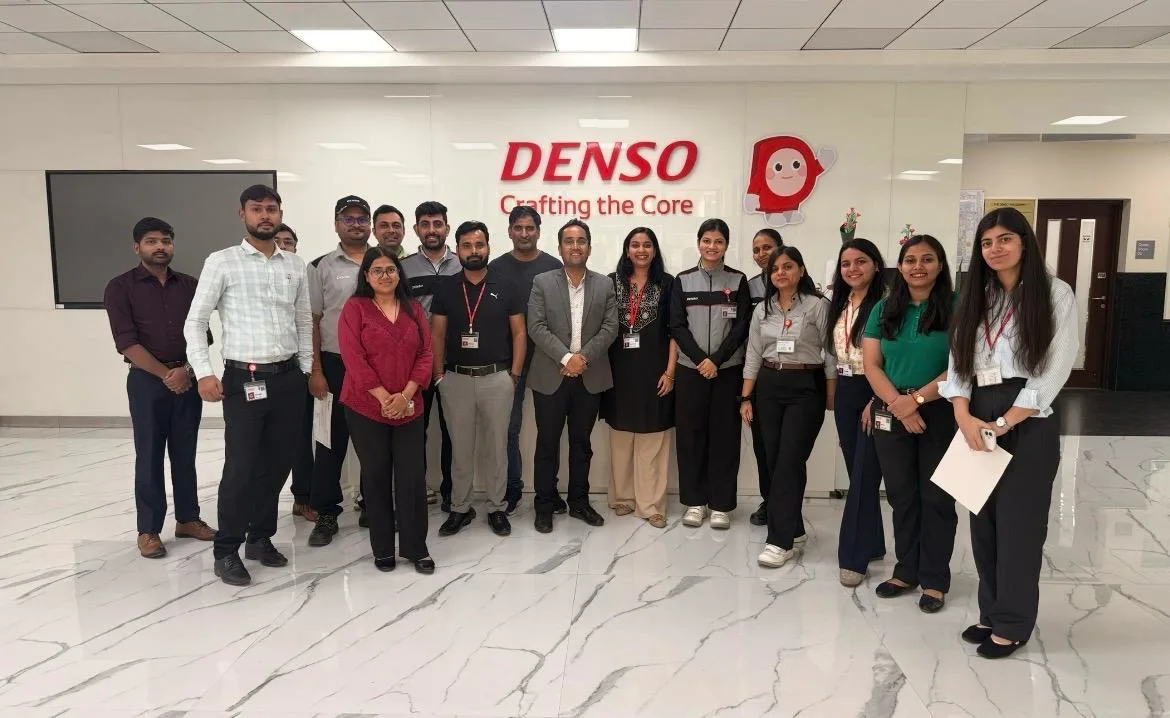
Gyansetu conducted Advanced Excel training for Denso International Employees
Denso International
Gyansetu conducted Full Stack Development training for ReverseLogix employees
ReverseLogix
Gyansetu conducted Advanced Java training for BML Munjal University students
BML Munjal University
Delivering Training To Wedapt
Wedapt
Gyansetu conducted workshop on Cloud Computing and Data Analytics for Manav Rachna University students
Manav Rachna University
Gyansetu conducted Java workshop for GLA University students
GLA University
Gyansetu conducted Data Analytics Workshop for DPGITM students
DPGITM
Certificate Issued to Gyansetu by GD Goenka University
GD Goenka University

FOR QUERIES, FEEDBACK OR ASSISTANCE

Contact Gyansetu Learner Support

Our Learners Testimonials

Archana Mahaur
Bharat Petroleum
GyanSetu’s customized training approach perfectly matched our organizational requirements. The trainers demonstrated deep expertise and ensured active engagement throughout. Our teams are now more confident in leveraging data for strategic decisions.
Piyush Garg
Toshiba, Midea Group
GyanSetu’s training program significantly enhanced our team’s data capabilities. The sessions were practical, well-structured, and directly aligned with our business needs. We observed immediate improvements in productivity and decision-making across teams.
Samreen Khan
Luminous
The corporate training delivered by GyanSetu was highly impactful and result-oriented. Their ability to simplify complex concepts and provide hands-on exposure helped our employees quickly adopt new AI tools and techniques effectively.
Ashutosh Mishra
Livpure, SAR Group
The training sessions conducted by GyanSetu were insightful, interactive, and highly relevant. Their focus on practical implementation rather than theory made a significant difference in how our teams approach data-driven problem solving.
Ankita Baranwal
DENSO
We partnered with GyanSetu for upskilling our workforce in analytics, and the results have been exceptional. The structured curriculum and real-world case studies enabled our employees to apply their learning immediately in their roles.
Geetika Hasranjani
Bry-Air
GyanSetu’s data training program was highly impactful and practical. Our team gained strong hands-on skills in data analysis and visualization, leading to improved reporting accuracy and faster decision-making. The customized approach perfectly aligned with our business requirements.
self assessment
Self Assessment Test

Learn, Grow & Test your skill with Online Assessment Exam to achieve your Certification Goals.

FAQs: Power BI Course Online

1. How long does Power BI corporate training take?

Most Gyansetu corporate Power BI programs run over multiple sessions, typically completed within 2 to 4 weeks depending on your team’s schedule. Sessions can be compressed into intensive days or spread across weekday or weekend batches.

2. How many employees can join one corporate training batch?

Gyansetu keeps corporate Power BI batches small, typically 5 to 10 participants, so every trainee gets direct access to the trainer. Larger teams aren’t turned away — Gyansetu runs parallel batches or extends the schedule to maintain quality at higher headcounts.

3. Is the training customized to our industry and tools?

Yes — every corporate Power BI program is built around your team’s actual data sources and business scenarios, not generic sample files. Sessions use datasets relevant to retail, finance, manufacturing, healthcare, or logistics, depending on your team’s industry.

Gyansetu delivers Power BI corporate training in three formats: virtual live sessions, on-site at your office, and hybrid combinations of both. Virtual sessions suit distributed teams; on-site sessions let trainers work directly with your existing systems.

Participants receive a Gyansetu training certificate backed by NASSCOM accreditation, recognized across MNCs and consulting firms.

Reach out through Gyansetu’s corporate training enquiry line, and the team responds with a proposal scoped to your team size and schedule. Pricing is available for both one-time programs and recurring arrangements across multiple departments.

No prior Power BI experience is required, though basic familiarity with Excel helps participants move faster through the data modeling modules. Training is structured to accommodate mixed-experience teams within the same batch.

The curriculum covers Power Query, DAX, Power BI Service, Power Automate, and PowerApps, in addition to Power BI Desktop. Each tool is introduced with its specific role — Power Query for data transformation, DAX for calculations, and Power BI Service for publishing and sharing reports.

Yes — Gyansetu delivers Power BI corporate training pan-India and internationally, using virtual delivery to reach teams across different cities or countries in the same batch. On-site delivery is also available per location if required.

Training exercises use your team’s own datasets only with explicit permission, and Gyansetu does not retain or reuse client data beyond the scope of the training engagement.

Sessions are led by working Power BI professionals with active industry experience, not full-time training presenters. Trainers are assigned based on your team’s industry and use case to keep sessions relevant to actual business scenarios.

Gyansetu provides recorded access to sessions, so employees who miss a live session can catch up before the next one. Lifetime access to recordings and materials is included with every corporate training program.

Yes — Gyansetu offers recurring training arrangements for organizations planning to train multiple batches or departments over time. This is scoped separately from a one-time program during the quote request.

Corporate training uses your organization’s own data and schedule, while public batches follow a fixed curriculum, calendar, and mixed-company cohort. Corporate batches also stay smaller by design, typically 5 to 10 participants versus larger public class sizes.

Participants keep lifetime access to session recordings and materials, and post-training doubt-clearing support continues after the program concludes.

frequently asked questions by students for courses
Drop us a Query
+91-9999201478

Available 24x7 for your queries

Please enable JavaScript in your browser to complete this form.

Categories