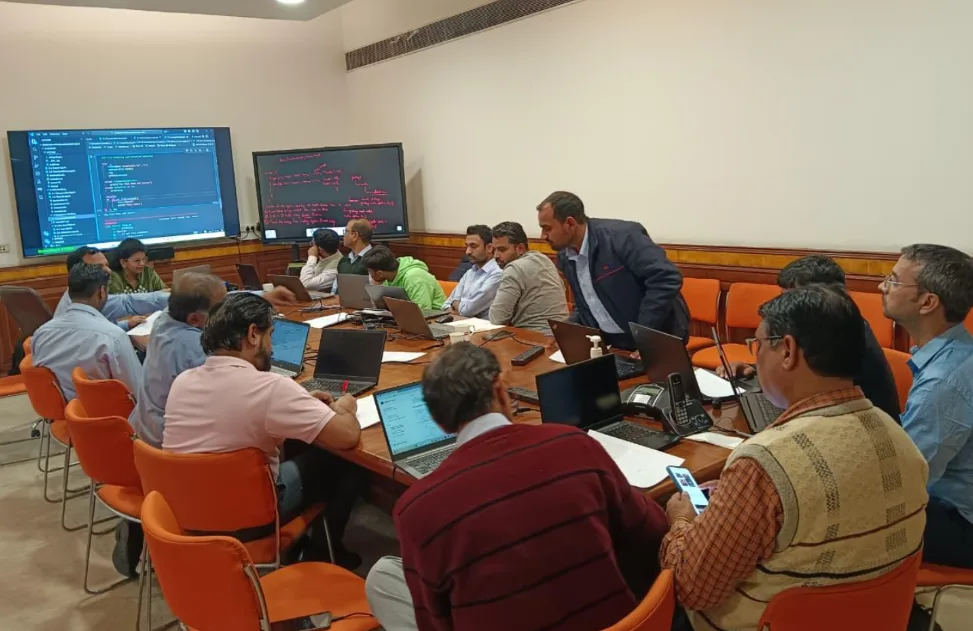
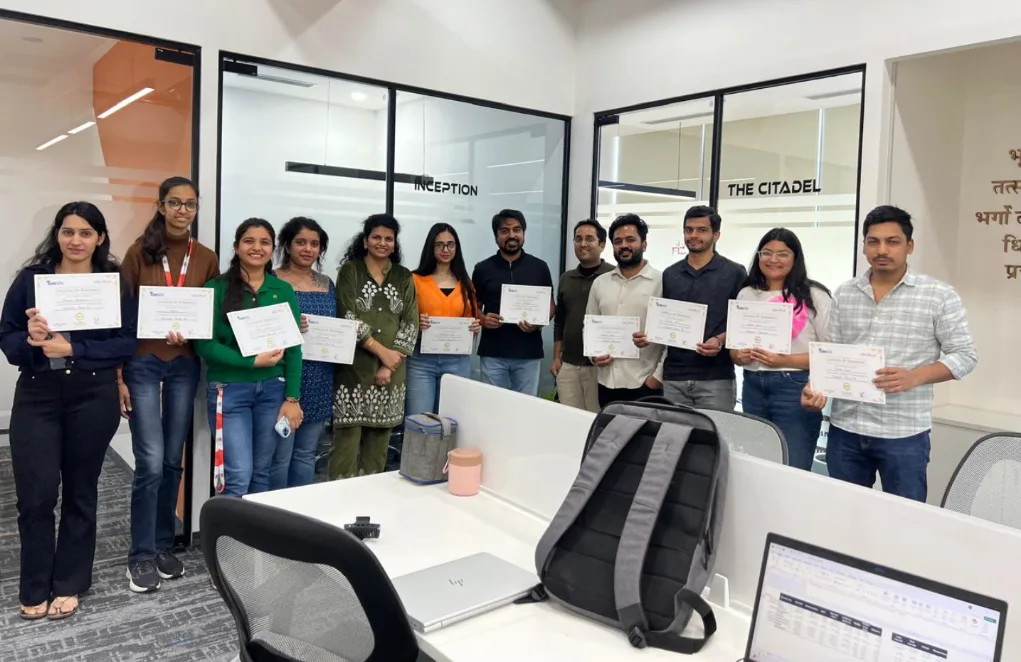
Advanced Excel Course in Kanpur Overview

Get the most advanced Excel course in Kanpur that is the best and specially tailored to meet the demands of career oriented professionals and students who want to acquire the required skills in Excel. 

This is a holistic training that will include not only highly complex formulas and data analysis, but also automation, macros, and VBA programming, which adapt to the needs of the modern data-driven workplace environments.

You will be learning using practical exercises of advanced excel in Kanpur and you learn to use powerful tools, such as pivot tables, conditional formatting, and dynamic dashboards to turn raw data into actionable business information. Get used to streamlining complicated datasets, automation, and professional report creation easily on real-life examples and projects in an industry field.

The years of practical experience of our expert trainers guarantee individual guidance, and simple excel functions become multifunctional and easy to use. This course will also contribute to raising your resume and easing the way to new employment in the analytics, finance, marketing, etc. fields due to the strong emphasis on the in-demand skills, including the financial modeling, data visualization, and the Excel-based decision support systems.

This course in Kanpur is flexible to both classroom and online learning whether you are taking the course to become an Excel certified employee or simply improve your productivity and data management capabilities. Become a confident and competent employee and impress employers with your high-level expertise in Excel and practical skills.

Enroll today to begin the process of changing your career by taking one of the most advanced Excel courses offered in Kanpur which will make you be prepared to work in the future where data is the key to success.

Why choose Gyansetu’s Advanced Excel Course in Kanpur?

Gyansetu is an Excel mastery level course in Kanpur, which offers you the opportunity to achieve unparalleled Excel mastery quickly to accelerate your career development. Take advantage of high quality training by experts, practical projects, and overall support in order to make you employment ready in the current competitive market.

  1. Expert Instructors: Study with industry and teaching experts who have years of experience.
  2. Practical Learning: Undergo real business projects and exercises to reflect real business challenges.
  3. Thorough Curriculum: Learn advanced formula, VBA automation, pivot tables, dashboards and data visualization.
  4. Online and Offline Courses: Select between online and offline courses that fit into your hectic calendar.
  5. Certification by the Industry: Get a reputable certificate that increases your employment opportunities.
  6. Job Placement Assistance: Receive resume development, interviewing, and direct employer networking services in Kanpur.
  7. Community and Support: Become part of a group of students and receive continuous help to resolve doubts and develop their skills.

Register now and acquire the skills that the employers in Kanpur believe in the most and become fast in handling and analyzing data with the help of the reliable Excel training offered by Gyansetu.

advanced-excel-course-in-kanpur

Key Highlights of Advanced Excel Course Kanpur

100% Placement Support
Free Course Repeat Till You Get Job
Mock Interview Sessions
1:1 Doubt Clearing Sessions
Flexible Schedules
Real-time Industry Projects

Placement Stats

stats
Maximum salary hike
140%
Average salary hike
80%

Our Alumni in Top Companies

Advanced Excel Training Placement Highlights

Abhyudaya Singh
100 % Hike
B.Tech.
Fresher
MIS Executive
Airtel
Jayant Garg
100 % Hike
BCA
Fresher
MIS Executive
Equitas Small Finance Bank

Batches Timing for Advanced Excel Course in Kanpur

Track Weekdays (Tue-Fri) Weekends (Sat-Sun) Fast Track
Course Duration 2 Months 3 Months 15 Days
Hours Per Day 1-2 Hours 2-3 Hours 5 Hours
Training Mode Classroom/Online Classroom/Online Classroom/Online

Advanced Excel Course Certification in Kanpur

After the advanced Excel course in Kanpur at Gyansetu, the students are awarded an industry certifying certification that confirms their knowledge in advanced Excel applications like complex formulas, pivot table, VBA automation and data display. This certification is very valuable to employers and it assists the candidates to be noticed among the competitive job markets in areas such as finance, data analytics, marketing, and operations.

The certification of Gyansetu will be valid to a lifetime without any renewals to keep your qualifications in place over a lifetime. The course is also up to date with the new industry standards and Excel updates offering practical skills that are required by the employers in the present times. Graduates acquire competitive advantage of securing better job placements, promotions and career advancements in the growing corporate ecosystem of Kanpur.

Gyansetu helps applicants that have been well prepared in exams, taking mock tests, and exposure to professional trainers with high chances of passing the certification exam in the first sitting. This is a prized qualification that enhances your professional trust, paving the way to various job opportunities and increase in wage opportunities.

advanced excel course certification

Advanced Excel Course Curriculum

The Advanced Excel Course Curriculum at Gyansetu in Kanpur is well considered to allow you to cover the entire data challenge skills in the real world. The course teaches the application of advanced formulas, pivot tables, data visualization, VBA automation, and the creation of dashboards. Every module is designed in such a way that it develops your knowledge gradually so that you can apply it instantly in your profession.

Workbook Protection & Security 7 Topics
  • Introduction to Excel
  • Password Protect a workbook/worksheet
  • Hiding & Unhiding Sheets
  • Protecting Workbook structure
  • Hiding sheets using VBA developer mode
  • Hiding Excel Functions
  • Locking/ Unlocking Cells
Data Types in Excel 8 Topics
  • Numbers
  • Text
  • Date Time
  • Currency
  • Percentage
  • Converting Numbers to Text
  • Converting Text to Numbers
  • Changing Date/Time formats
Scale up Speed using Short Keys 5 Topics
  • Working with Alt Key
  • Paste special
  • Insert Row/Column
  • Switch between worksheets
  • Navigate all excel features using Keyword
  • Top Bottom Rules
  • Highlight Cell Rules
  • Data Bars
  • Color Scales
  • Exploring Rules Manager
  • Use formulas for cell formatting
  • Text Filters
  • Number Filters
  • Sorting
  • Multi-level sorting
  • Text to Columns – Delimiters
  • Text to Columns – Fixed Width
  • Remove Duplicates
  • Data Validations
  • Grouping
  • Relative Referencing (A1)
  • Absolute Referencing ($A$1)
  • Partial Referencing ($A1) / (A$1)
  • Sum/ Sumif/ Sumifs
  • Count/ Countif/ Countifs
  • SumProduct
  • Round/ Roundup/ Rounddown
  • Min/ Max/ Average
  • If
  • And
  • Or
  • IsText
  • IsNumber
  • Vlookup
  • Vlookup with Match Function
  • Vlookup using (*) problems
  • Vlookup using Running Countif
  • Nested Vlookup
  • Hlookup
  • Index Match
  • Indirect
  • Offset
  • Char
  • Concatenate
  • Exact
  • Find/ Search
  • Left
  • Right
  • Proper
  • Mid
  • Upper
  • Weekday
  • Weeknum
  • Day/ Month/ Year
  • Date / Time
  • Hour/ Minute/ Second
  • Learning functions with {}
  • Eg. Minif, Maxif, etc.
  • Line
  • Column
  • Pie
  • Bar
  • Combo Charts
  • Waterfall Charts
  • Doughnut Charts
  • Dynamic Charts using Pivot Slicers
  • Pivot Table Fields
  • Filters/ Rows/ Columns/ Values
  • Insert Slicers
  • Insert Timelines
  • Group Selection
  • Changing Data Source
  • Report Layouts
  • Group Selection
  • Working with Multiple Tables using Relationship
  • Record a Macro
  • Save macro sheet in .xlsm format

Industry Ready Advanced Excel Projects

Practice real-life Excel projects like income tax reporting, customer data analysis, sales team performance, Salesforce data transformation, and audits within the education sector. These projects, which are designed by the industry experts, equip you with real business situations and thus ready you to be employed in analytics, finance, operations and reporting positions.
Designed by Industry Experts
Get Real-World Experience
Preparing Income Tax reports for Chartered Accounts

Preparing Income Tax Reports for Chartered Accountants by doing advanced calculations and analysis for tax filing processes.

Preparing Bank Customer Reports

Creating excel reports on bank customers, preparing strategies and enhancing customer relationship management for the institutions.

Performance Analysis of Sales team

Analyse sales performance by using data for insightful metrics, strategic decision-making and creating reports for the management.

Performing Excel operations to transform Salesforce Cloud Data and making it ready to import in the cloud.

Evaluating student data for Schools and Colleges and providing them a consolidated dashboard to improve their day to day operations.

clock-icon
64+
Hours of content
video
16+
Live sessions
hammer
5+
Tools and software

Advanced Excel Skills you can add in your CV

What Sets This Program Apart?

GyanSetu
Other Courses
all-in-oneAll-in-One Toolkit

Complete roadmap: Advanced Excel, Excel Automation, Power Query, Power Pivot, Dashboards, BI Integrations

Limited coverage of only basic Excel tools with no advanced analytics or automation.

progress-iconBeginner-to-Pro

Starts from scratch and builds up to Advanced Excel mastery—formulas, functions, automation, analytics, dashboards.

Assumes students already know Excel, leaving beginners confused.

empoweredGen AI Empowered

Integrated Generative AI tools like ChatGPT, Excel Copilot, and AI-based automation inside Excel workflows.

No exposure to AI-powered productivity tools or modern automation.

focusedCareer-Focused Tracks

Choose your specialization – MIS Executive, Data Analyst, Reporting Analyst, Business Analyst (Excel-focused).

One-size-fits-all curriculum with no career-specific learning path.

How-to-Become-a-Data-AnalystReal Industry Exposure

20+ advanced Excel automation projects + live capstone dashboard projects using real business datasets.

Only 1–2 academic-style assignments with no real-world business use cases.

expertiseLegacy & Expertise

Founded by IIIT-H alumni with 15+ years of corporate Excel, analytics, and training experience.

Trainers often lack real industry or reporting experience.

practicePractice Over Theory

70% hands-on Excel work using real datasets, business models, dashboards, and automation tasks.

Mostly theoretical explanations and outdated examples with little practice.

mentorshipExpert Mentorship

Learn directly from Excel & Analytics experts working at Amazon, Deloitte, Accenture, and PwC.

Generic trainers with no active industry engagement or Excel automation expertise.

course in gurgaon
Who is this course for?
  • Data Analysts
  • Career Changers
  • Sales Professionals
  • Operations Manager
  • Financial Analysts
  • Business Professionals

Career Assistance for Advanced Excel Course in Kanpur

briefcase
Job Opportunities Guaranteed

Get a 100% Guaranteed Interview Opportunities Post Completion of the training.

lock
Access to Job Application & Alumni Network

Get chance to connect with Hiring partners from top startups and product-based companies.

Mock Interview Session

Get One-On-One Mock Interview Session with our Experts. They will provide continuous feedback and improvement plan until you get a job in industry.

Live Interactive Sessions

Live interactive sessions with industry experts to gain knowledge on the skills expected by companies. Solve practice sheets on interview questions to help crack interviews.

lock
Career Oriented Sessions

Personalized career focused sessions to guide on current interview trends, personality development, soft skill and HR related questions.

briefcase
Resume & Naukri Profile Building

Get help in creating resume & Naukri Profile from our placement team and learn how to grab attention of HR’s for shortlisting your profile.

Top Companies Hiring for Advanced Excel Role

Honours & Awards Recognition

Awarded by GD Goenka University
GD Goenka University
Gyansetu conducted Power BI training for Livpure employees
Livpure
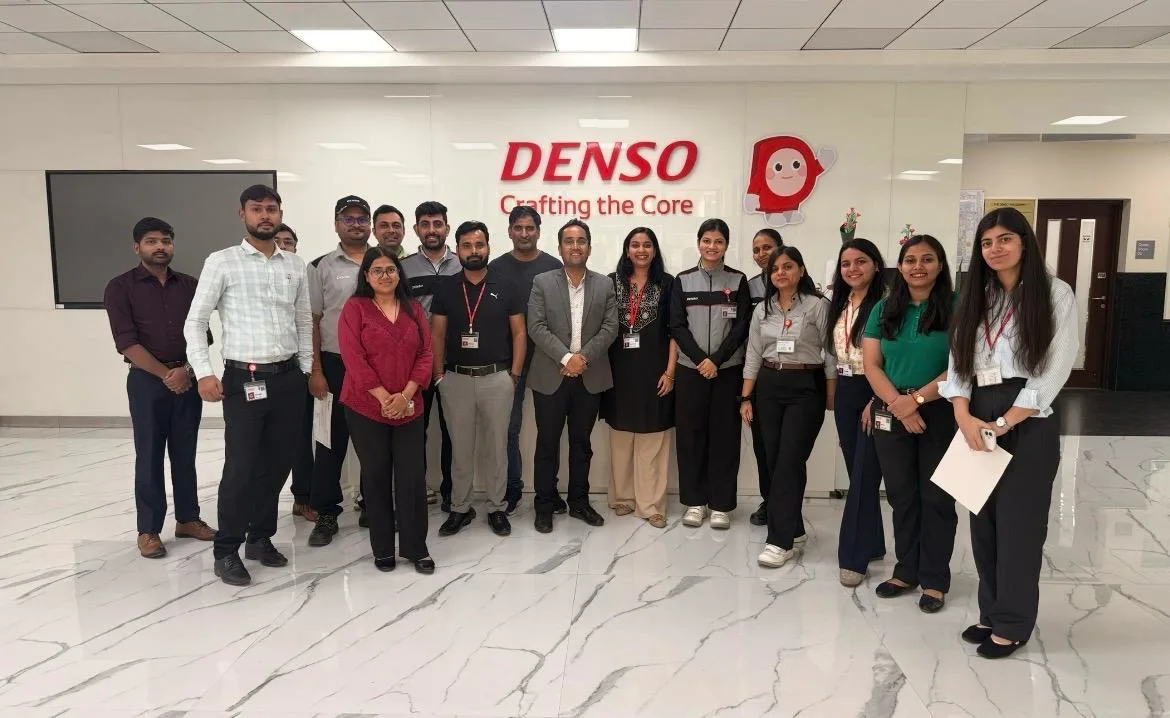
Gyansetu conducted Advanced Excel training for Denso International Employees
Denso International
Gyansetu conducted Full Stack Development training for ReverseLogix employees
ReverseLogix
Gyansetu conducted Advanced Java training for BML Munjal University students
BML Munjal University
Gyansetu conducted workshop on Cloud Computing and Data Analytics for Manav Rachna University students
Manav Rachna University
Gyansetu conducted Java workshop for GLA University students
GLA University
Gyansetu conducted Data Analytics Workshop for DPGITM students
DPGITM
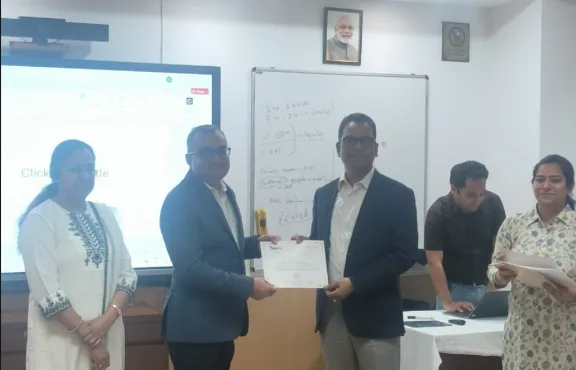
Certificate Issued to Gyansetu by GD Goenka University
GD Goenka University

FOR QUERIES, FEEDBACK OR ASSISTANCE

Contact Gyansetu Learner Support

Our Learners Testimonials

Varun Kapoor
I've found Gyansetu's learning environment to be incredibly conducive to skill development as an MIS executive at Hindustan Wellness. Through practical projects and real-world case studies, I gained invaluable hands-on experience
Satish Goyal
I began my journey at Gyansetu, where practical learning and real-world applications shaped my skills as an analytics specialist. The supportive environment empowered me to leverage data effectively for insights and innovation. Grateful to Gyansetu's for invaluable education which has played a pivotal role in my professional growth.
Azhar Ali
With the excellent curriculum, dedicated instructors, and practical exposure, Gyansetu has been instrumental in helping me land a job as a Business Intelligence Professional. Thank you for providing such a wonderful learning experience and helping me achieve my career goals.
self assessment
Self Assessment Test

Learn, Grow & Test your skill with Online Assessment Exam to achieve your Certification Goals.

Frequently Asked Questions

Who can enroll in this advanced Excel course?

The course is perfect for students, professionals, and business analysts who wish to improve data manipulation, its analysis, and automation to improve their career prospects in Kanpur.

What are the pre-requisites to this course?

Simple experience with Excel is not obligatory but useful. The course discusses the basic to higher concepts sequentially.

How long does the course take and what is the format?

The duration of the course takes a range of a few weeks to months depending on the type of batch. Training is provided both online and in a classroom setting to meet requirements of flexible learning.

Yes, we provide our learners a nationally accepted Gyansetu certification that is lifetime valid and increases employment opportunities in Kanpur and other places.

Absolutely. Learning real-life projects and practical exercises are given to make sure you acquire skills related to the business world.

Yes, there is special placement assistance in the form of resume building, interview preparation, employer introduction offered at Kanpur by Gyansetu.

The course is mainly concentrated on Microsoft Excel and also includes dealing with advanced interfaces, VBA macros and data visualisation tools.

Novices can be part of the course since the modules in the course begin with simpler principles and proceed to more complicated features.

Yes, both online and offline formats involve expert-led live sessions as part of the training.

Enrolment can be made by going through the official site of Gyansetu or even calling their center at Kanpur to enquire about the batches and the price.

frequently asked questions by students for courses
Drop us a Query
+91-9999201478

Available 24x7 for your queries

Please enable JavaScript in your browser to complete this form.
Categories
Popular Courses
Artificial Intelligence (AI) Course
223 reviews
Next Batch - 15 Feb, 2026
4 months Online/ Offline
Power BI
Power BI Course Online
7648 reviews
Next Batch - 21 Feb, 2026
3 months Online/ Offline
Best Excel VBA Course Online
3416 reviews
Next Batch - 28 Feb, 2026
3 months Online/ Offline
Machine Learning Course
5874 reviews
Next Batch - 22 Feb, 2026
5 months Online/ Offline
Python
Best Python Course
7854 reviews
Next Batch - 15 Feb, 2026
3 months Online/ Offline
Business Analyst Course
6523 reviews
Next Batch - 21 Feb, 2026
4 months Online/ Offline
Full Stack Developer Course
4567 reviews
Next Batch - 28 Feb, 2026
5 months Online/ Offline
data science course
Data Science Course
8598 reviews
Next Batch - 21 Feb, 2026
6 months Online/ Offline
Best Data Analyst Course
9269 reviews
Next Batch - 21 Feb, 2026
6 months Online/ Offline
excel
Advanced Microsoft Excel Training
5931 reviews
Next Batch - 21 Feb, 2026
3 months Online/ Offline
English Speaking Course
9672 reviews
Next Batch - 21 Feb, 2026
6 months Online/ Offline
Digital Marketing Course
7895 reviews
Next Batch - 21 Feb, 2026
6 months Online/ Offline
Cyber Security Course
8932 reviews
Next Batch - 21 Feb, 2026
6 months Online/ Offline
Agentic AI Course
7352 reviews
Next Batch - 21 Feb, 2026
6 months Online/ Offline
Generative AI Course & Certificate
2392 reviews
Next Batch - 21 Feb, 2026
6 months Online/ Offline
Power Automate Training
2392 reviews
Next Batch - 21 Feb, 2026
6 months Online/ Offline
Microsoft Power Apps Training
9867 reviews
Next Batch - 21 Feb, 2026
6 months Online/ Offline
data science course
Data Science Certification
7394 reviews
Next Batch - 21 Feb, 2026
6 months Online/ Offline
Artificial Intelligence (AI) Course
223 reviews
Next Batch - 15 Feb, 2026
4 months Online/ Offline
Power BI
Power BI Course Online
7648 reviews
Next Batch - 21 Feb, 2026
3 months Online/ Offline
Best Excel VBA Course Online
3416 reviews
Next Batch - 28 Feb, 2026
3 months Online/ Offline
Machine Learning Course
5874 reviews
Next Batch - 22 Feb, 2026
5 months Online/ Offline
Python
Best Python Course
7854 reviews
Next Batch - 15 Feb, 2026
3 months Online/ Offline
Business Analyst Course
6523 reviews
Next Batch - 21 Feb, 2026
4 months Online/ Offline
Full Stack Developer Course
4567 reviews
Next Batch - 28 Feb, 2026
5 months Online/ Offline
data science course
Data Science Course
8598 reviews
Next Batch - 21 Feb, 2026
6 months Online/ Offline
Best Data Analyst Course
9269 reviews
Next Batch - 21 Feb, 2026
6 months Online/ Offline
excel
Advanced Microsoft Excel Training
5931 reviews
Next Batch - 21 Feb, 2026
3 months Online/ Offline
English Speaking Course
9672 reviews
Next Batch - 21 Feb, 2026
6 months Online/ Offline
Digital Marketing Course
7895 reviews
Next Batch - 21 Feb, 2026
6 months Online/ Offline
Cyber Security Course
8932 reviews
Next Batch - 21 Feb, 2026
6 months Online/ Offline
Agentic AI Course
7352 reviews
Next Batch - 21 Feb, 2026
6 months Online/ Offline
Generative AI Course & Certificate
2392 reviews
Next Batch - 21 Feb, 2026
6 months Online/ Offline
Power Automate Training
2392 reviews
Next Batch - 21 Feb, 2026
6 months Online/ Offline
Microsoft Power Apps Training
9867 reviews
Next Batch - 21 Feb, 2026
6 months Online/ Offline
data science course
Data Science Certification
7394 reviews
Next Batch - 21 Feb, 2026
6 months Online/ Offline