Advanced Excel Course in Mumbai Overview

Want to become a pro at Excel and get a well-paying job in the competitive corporate world of Mumbai? Gyansetu Advanced Excel Training in Mumbai is a course that is meant to empower professionals and graduates to succeed in such careers as Data Analyst, MIS Executive, HR Analyst, and Finance Associate. This is not another theory-driven course; it is a practical, industry-aligned program designed to enter the job market of the year 2025.

You will master skills in PivotTables, Power Query, VBA Macros, dynamic dashboards, data cleaning, and automation using Excel and will learn all of this using real-time projects that resemble workflows at leading companies such as Deloitte, Accenture, and WNS.

The best part of this program in Mumbai is that you get mentored by the experts of Excel who are actually working in MNCs so that you learn something that is actually applicable in the business world- whether it be automating payroll, tracking sales KPIs, or understanding market trends.

The job market in Mumbai is changing fast and Excel is central to it. Whether it is banking and fintech, logistics, and consulting businesses, companies no longer require people who can simply enter data into an Excel sheet but rather those individuals that can automate processes, generate insights, and make decisions using Excel.

The trend is identical in 2025, with most of the leading job portals such as LinkedIn and Naukri indicating a need to automate Excel, build dashboards, and transform data in more than 70 percent of positions in the MIS, business analytics, and operations. Employers are also on the prowl out to find people who have practical experience in Excel- not theory only.

When you take the Advanced Excel Training in Mumbai with Gyansetu, you do not learn how to use Excel, you use it, on real business instances and you are ready to be hired on your first day. Regardless of whether you want to change your career or get a promotion, the course provides you with a definite edge during interviews and hiring processes.

advanced excel course in  Mumbai

Key Highlights of Advanced Excel Course Mumbai

100% Placement Support
Free Course Repeat Till You Get Job
Mock Interview Sessions
1:1 Doubt Clearing Sessions
Flexible Schedules
Real-time Industry Projects

Placement Stats

stats
Maximum salary hike
140%
Average salary hike
80%

Our Alumni in Top Companies

Advanced Excel Training Placement Highlights

Abhyudaya Singh
100 % Hike
B.Tech.
Fresher
MIS Executive
Airtel
Jayant Garg
100 % Hike
BCA
Fresher
MIS Executive
Equitas Small Finance Bank

Batches Timing for Advanced Excel Course in Mumbai

Track Weekdays (Tue-Fri) Weekends (Sat-Sun) Fast Track
Course Duration 2 Months 3 Months 30 Days
Hours Per Day 1-2 Hours 2-3 Hours 3-4 Hours
Training Mode Classroom/Online Classroom/Online Classroom/Online

Advanced Excel Course Certification in Mumbai

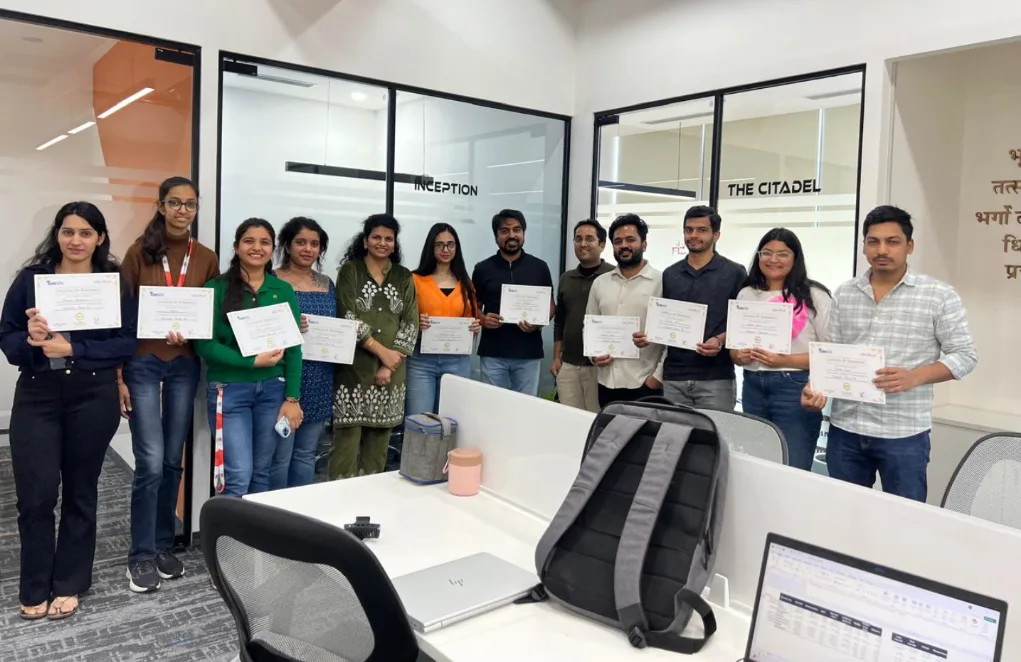
Once you have done Advanced Excel Training in Mumbai with Gyansetu, you will get a certificate that is recognized in the industry and will confirm your skills in applying real world Excel.

This is not a simple course completion certificate, this is a skills-based certification, which ensures that you are competent to:

  • Create dynamic dashboards using PivotTables and Charts
  • Transform and clean data with Power Query
  • Automate VBA Macros
  • Use Excel in finance, human resources, operations, and analytics

The leading corporations in Mumbai such as TCS, Capgemini, Deloitte, and HDFC are eager to hire certified Excel professionals to work with data.

This certificate will make you visible on job platforms such as LinkedIn and Naukri by up to 50%, which will give you better chances of shortlisting.

A certificate that demonstrates your skills in mastering Excel and business preparedness will make you stand out in the hiring market in Mumbai.

advanced excel course certification

Advanced Excel Course Curriculum

The program of the Advanced Excel Training at Gyansetu Mumbai is designed using real life applications so that you are ready to work, the first day. You will learn the most advanced formulas, PivotTables, and dashboard creation, as well as data cleaning with Power Query and automation of tasks with VBA Macros. All modules have practical projects in the areas of HR, finance, sales, and analytics, so your experience is practical and industry-relevant.

Workbook Protection & Security 7 Topics
  • Introduction to Excel
  • Password Protect a workbook/worksheet
  • Hiding & Unhiding Sheets
  • Protecting Workbook structure
  • Hiding sheets using VBA developer mode
  • Hiding Excel Functions
  • Locking/ Unlocking Cells
Data Types in Excel 8 Topics
  • Numbers
  • Text
  • Date Time
  • Currency
  • Percentage
  • Converting Numbers to Text
  • Converting Text to Numbers
  • Changing Date/Time formats
Scale up Speed using Short Keys 5 Topics
  • Working with Alt Key
  • Paste special
  • Insert Row/Column
  • Switch between worksheets
  • Navigate all excel features using Keyword
  • Top Bottom Rules
  • Highlight Cell Rules
  • Data Bars
  • Color Scales
  • Exploring Rules Manager
  • Use formulas for cell formatting
  • Text Filters
  • Number Filters
  • Sorting
  • Multi-level sorting
  • Text to Columns – Delimiters
  • Text to Columns – Fixed Width
  • Remove Duplicates
  • Data Validations
  • Grouping
  • Relative Referencing (A1)
  • Absolute Referencing ($A$1)
  • Partial Referencing ($A1) / (A$1)
  • Sum/ Sumif/ Sumifs
  • Count/ Countif/ Countifs
  • SumProduct
  • Round/ Roundup/ Rounddown
  • Min/ Max/ Average
  • If
  • And
  • Or
  • IsText
  • IsNumber
  • Vlookup
  • Vlookup with Match Function
  • Vlookup using (*) problems
  • Vlookup using Running Countif
  • Nested Vlookup
  • Hlookup
  • Index Match
  • Indirect
  • Offset
  • Char
  • Concatenate
  • Exact
  • Find/ Search
  • Left
  • Right
  • Proper
  • Mid
  • Upper
  • Weekday
  • Weeknum
  • Day/ Month/ Year
  • Date / Time
  • Hour/ Minute/ Second
  • Learning functions with {}
  • Eg. Minif, Maxif, etc.
  • Line
  • Column
  • Pie
  • Bar
  • Combo Charts
  • Waterfall Charts
  • Doughnut Charts
  • Dynamic Charts using Pivot Slicers
  • Pivot Table Fields
  • Filters/ Rows/ Columns/ Values
  • Insert Slicers
  • Insert Timelines
  • Group Selection
  • Changing Data Source
  • Report Layouts
  • Group Selection
  • Working with Multiple Tables using Relationship
  • Record a Macro
  • Save macro sheet in .xlsm format

Industry Ready Advanced Excel Projects

Practice real-life Excel projects like income tax reporting, customer data analysis, sales team performance, Salesforce data transformation, and audits within the education sector. These projects, which are designed by the industry experts, equip you with real business situations and thus ready you to be employed in analytics, finance, operations and reporting positions.
Designed by Industry Experts
Get Real-World Experience
Preparing Income Tax reports for Chartered Accounts

Preparing Income Tax Reports for Chartered Accountants by doing advanced calculations and analysis for tax filing processes.

Preparing Bank Customer Reports

Creating excel reports on bank customers, preparing strategies and enhancing customer relationship management for the institutions.

Performance Analysis of Sales team

Analyse sales performance by using data for insightful metrics, strategic decision-making and creating reports for the management.

Performing Excel operations to transform Salesforce Cloud Data and making it ready to import in the cloud.

Evaluating student data for Schools and Colleges and providing them a consolidated dashboard to improve their day to day operations.

clock-icon
64+
Hours of content
video
16+
Live sessions
hammer
5+
Tools and software

Advanced Excel Skills you can add in your CV

What Sets This Program Apart?

GyanSetu
Other Courses
all-in-one Complete Toolkit

✔ Advanced formulas & functions
✔ PivotTables & charts
✔ Power Query & Power Pivot
✔ Dashboard automation & macros

✘ Only basic Excel features
✘ Little/no advanced tools

progress-icon Beginner to Pro Roadmap

✔ Intermediate → advanced Excel workflows

✘ Lacks structured progression

empowered AI-Powered Learning

✔ AI tools for formula generation & problem solving

✘ No AI integration

focused Career Specialization

✔ Excel Analyst
✔ Reporting & BI Specialist

✘ General/basic spreadsheet training

exposure Real Industry Projects

✔ Business dashboards
✔ Automated reporting systems
✔ Data analysis projects

✘ Only demo examples

mentorship Industry Mentors

✔ Live guidance from experienced trainers

✘ Generic instructors

expertise Practical Learning

✔ Hands-on labs & real workplace scenarios

✘ Theory heavy

practice Career Support

✔ Resume building
✔ Mock interviews
✔ Placement assistance

✘ No structured job support

course in gurgaon
Who is this course for?
  • Data Analysts
  • Career Changers
  • Sales Professionals
  • Operations Manager
  • Financial Analysts
  • Business Professionals

Career Assistance for Advanced Excel Course in Mumbai

briefcase
Job Opportunities Guaranteed

Get a 100% Guaranteed Interview Opportunities Post Completion of the training.

lock
Access to Job Application & Alumni Network

Get chance to connect with Hiring partners from top startups and product-based companies.

Mock Interview Session

Get One-On-One Mock Interview Session with our Experts. They will provide continuous feedback and improvement plan until you get a job in industry.

Live Interactive Sessions

Live interactive sessions with industry experts to gain knowledge on the skills expected by companies. Solve practice sheets on interview questions to help crack interviews.

lock
Career Oriented Sessions

Personalized career focused sessions to guide on current interview trends, personality development, soft skill and HR related questions.

briefcase
Resume & Naukri Profile Building

Get help in creating resume & Naukri Profile from our placement team and learn how to grab attention of HR’s for shortlisting your profile.

Top Companies Hiring for Advanced Excel Role

Honours & Awards Recognition

Awarded by GD Goenka University
GD Goenka University
Gyansetu conducted Power BI training for Livpure employees
Livpure
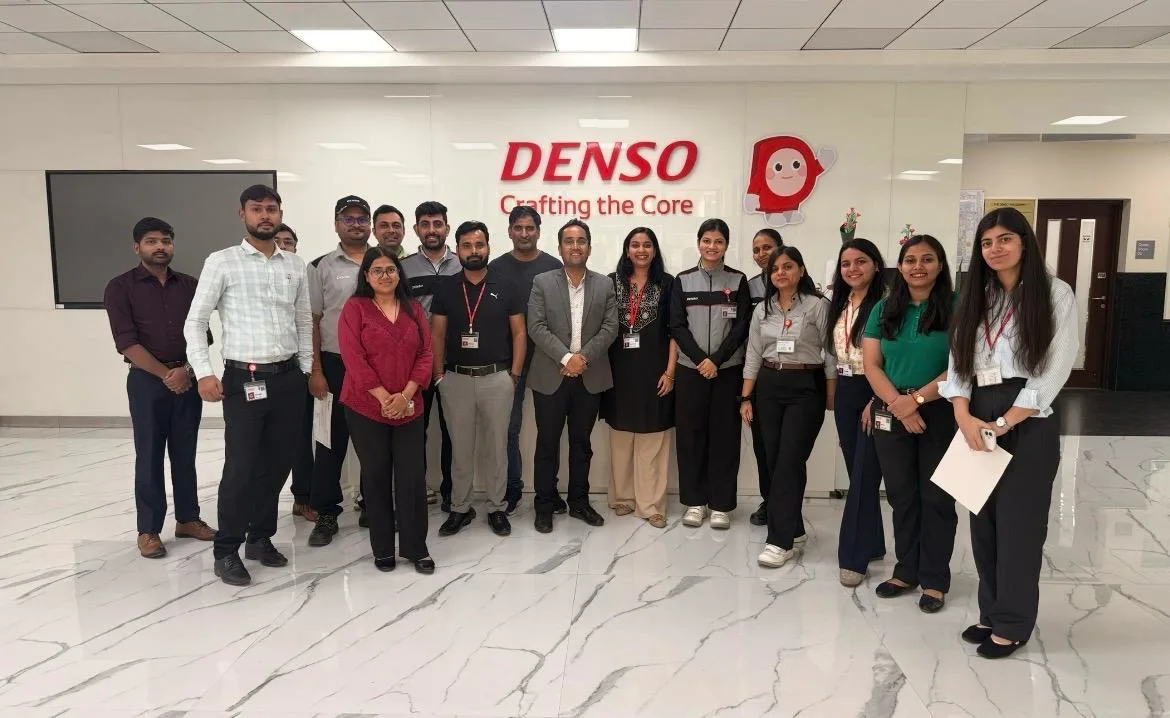
Gyansetu conducted Advanced Excel training for Denso International Employees
Denso International
Gyansetu conducted Full Stack Development training for ReverseLogix employees
ReverseLogix
Gyansetu conducted Advanced Java training for BML Munjal University students
BML Munjal University
Delivering training to Wedapt
Delivering Training To Wedapt
Gyansetu conducted workshop on Cloud Computing and Data Analytics for Manav Rachna University students
Manav Rachna University
Gyansetu conducted Java workshop for GLA University students
GLA University
Gyansetu conducted Data Analytics Workshop for DPGITM students
DPGITM
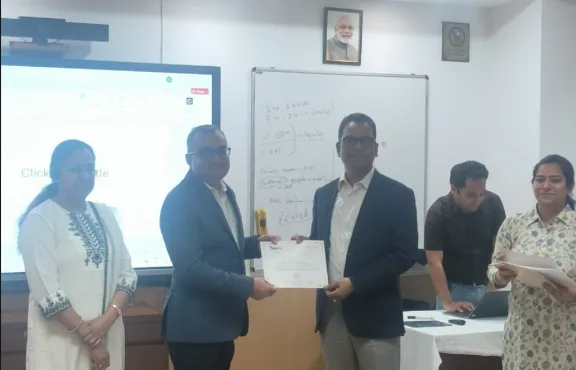
Certificate Issued to Gyansetu by GD Goenka University
GD Goenka University

FOR QUERIES, FEEDBACK OR ASSISTANCE

Contact Gyansetu Learner Support

Our Learners Testimonials

Varun Kapoor
I've found Gyansetu's learning environment to be incredibly conducive to skill development as an MIS executive at Hindustan Wellness. Through practical projects and real-world case studies, I gained invaluable hands-on experience
Satish Goyal
I began my journey at Gyansetu, where practical learning and real-world applications shaped my skills as an analytics specialist. The supportive environment empowered me to leverage data effectively for insights and innovation. Grateful to Gyansetu's for invaluable education which has played a pivotal role in my professional growth.
Azhar Ali
With the excellent curriculum, dedicated instructors, and practical exposure, Gyansetu has been instrumental in helping me land a job as a Business Intelligence Professional. Thank you for providing such a wonderful learning experience and helping me achieve my career goals.
self assessment
Self Assessment Test

Learn, Grow & Test your skill with Online Assessment Exam to achieve your Certification Goals.

Frequently Asked Questions

What does Gyansetu’s Advanced Excel Course in Mumbai cover?

The course offered by Gyansetu covers practical uses of Excel such as PivotTables, Power Query, VBA Macros, dashboards, and automation. You will develop job-relevant skills that are applied in HR reporting, finance analysis, and MIS dashboards which are in demand by employers in Mumbai in different industries.

What is the duration of the Advanced Excel course?

Excel course by Gyansetu is offered in:

Weekdays (Tue-Fri): 2 Months | 1-2hrs/day

Weekends (Sat-Sun): 3 Months | 2-3 hrs/day

Fast Track: 15 Days | 5 hrs/day

What is the value of the certification I will receive?

You will be certified based on your performance with a certification that proves that you can automate reports, create dashboards, and solve real-world data problems, which are recognized by the top employers in any industry such as TCS, Deloitte, Capgemini, and HDFC. It enhances your LinkedIn profile awareness and takes you an advantage in the interview.

Yes, the Advanced Excel Training offered by Gyansetu is offered in Mumbai and even in Pune and parts of Pune, such as Navi Mumbai, Mulund West, and Kharghar. Online formats can be selected according to your convenience.

Positions that the course prepares you to hold include:

  • MIS Executive
  • Data Analyst
  • HR Analyst
  • Finance Associate
  • Operations Coordinator

These are very much required in IT, finance, logistics, and consulting sectors in Mumbai.

An Advanced Excel course will make you learn to use Excel more than the basic. The course that Gyansetu offers involves complex formulas (INDEX, MATCH, VLOOKUP), PivotTables, dashboards, VBA automation, Power Query, and business-based analytics with the use of Excel.

Absolutely. As a graduate, a job seeker or a working professional, the course is entry level and it advances to higher levels. There is no need to have any technical or coding experience.

To know the price or EMI, or existing offers, contact 9999 201 478.

Yes. The course will enable you to learn how to use Excel in resolving actual business issues. You will complete projects that are actually useful and gain a certification that is accepted and will make you stand out on such sites as Naukri and LinkedIn and in the job interviews.

Gyansetu is unlike courses that are full of theory, and it is concerned with the application of Excel in businesses. MNC trainers take you through the practical application of MNC such as automation of HR reports, financial dashboards and data analytics, which employers are seeking.

Yes, Gyansetu provides an entirely interactive online program where the classes are conducted by a live instructor. You can attend it, no matter where you are in Andheri, Navi Mumbai or Kharghar.

Yes. You will also get to know how to automate routine tasks with the help of VBA Macros this is an important skill to minimize manual work in reporting, HR data manipulation and business processes.

Absolutely. Each module will contain practical tasks and real-life projects on working with business cases, such as automating payrolls, building sales dashboards, or scrubbing HR data.

Yes. In case you are in HR, accounting, or finance, then you can learn how to use Excel in payroll management, employee reporting, and tracking costs, as well as making decisions based on data.

Your certification enhances your presence on LinkedIn, Naukri and other job boards-which increases the appeal of your profile to potential employers such as WNS, TCS and HDFC who need Excel-skilled professionals.

frequently asked questions by students for courses
Drop us a Query
+91-9999201478

Available 24x7 for your queries

Please enable JavaScript in your browser to complete this form.
Categories