Generative AI Course in Noida Overview

Gyansetu’s curriculum is structured to guide students from foundational principles to advanced concepts in artificial intelligence. Our comprehensive Generative AI course in Noida explores not only foundational concepts like Prompt Engineering and Large Language Models (LLMs), but also advanced areas—such as Multimodal AI, Retrieval-Augmented Generation (RAG), and Fine-tuning Basics. You’ll gain hands-on experience building real-world solutions: automate business workflows, create powerful chatbots, generate content, and develop AI-powered productivity tools.

We go far beyond code: our curriculum equips you with practical skills in major platforms like Zapier, Make.com, n8n, Canva AI, and more—ensuring you can orchestrate no-code and low-code AI automations for real business needs. Ethical AI practices and responsible usage are woven throughout every module, preparing you to address challenges like bias, privacy, and AI transparency in your work.

The Generative AI market is projected to reach $126 billion by 2030 (Grand View Research, 2023), creating substantial demand for professionals with these skills. Our live projects, portfolio-building, and expert mentorship ensure you graduate with both the confidence and the capability to deploy AI solutions. Plus, we future-proof your skillset by introducing the latest trends, including Edge AI and Quantum ML, so you’re always ahead of what’s next.

Why Choose Gyansetu’s Generative AI Course in Noida?

Our curriculum combines in-depth, theory-driven education with hands-on projects, the most advanced AI tools and a culminating real-world project experience that will provide you with job-ready experience in Generative AI upon completion of the program.

  1. Elite Faculty: Get trained directly from the Generative AI industry veterans who have more than 12 years of experience in implementing AI solutions for leading MNCs.
  2. Live Projects: Develop applications from scratch, including chatbots and image generators, as part of the AI coursework that you can use in your portfolio.
  3. 100% Placement Support: We offer connection with the best hiring partners in Noida and Delhi NCR, giving you a chance to get placed once the Generative AI course is completed.
  4. Cutting-Edge Curriculum: Our curriculum is updated on regular basis to integrate the latest and greatest Large Language Models and tools such as GPT-4 & Stable Diffusion.
  5. Flexible Schedules: Choose from weekend or weekday batches for your ChatGPT training to balance learning with your current job or studies.
  6. Hands-On Labs: Access high-performance cloud labs to practice prompt Engineering and model fine-tuning without worrying about hardware.
  7. Interview Preparation: We have mock interviews and resume preparation classes for the AI Engineer role to make you confident.
  8. Networking Opportunities: Be part of a diverse group of Generative AI professionals and alumni working at the best tech companies across the world.
  9. Capstone Projects: Develop and lead an end-to-end Generative AI project that showcases your ability to apply deep learning techniques with industry-standard datasets.
  10. Mentorship Program:  Enjoy one-to-one guidance from professionals to help you chart your path after finishing our Generative AI course in Noida.

generative-ai-course-in-noida

Key Highlights of Generative AI Course

100% Placement Support
Free Course Repeat Till You Get Job
Mock Interview Sessions
1:1 Doubt Clearing Sessions
Flexible Schedules
Real-time Industry Projects

Placement Stats

stats
Maximum salary hike
170%
Average salary hike
90%

Our Alumni in Top Companies

Generative AI Course Placement Highlights

Avinash Avinash
74 % Hike
NTK
Data Analyst
NTK
Google
Data Analyst
Google
Priya Priya Paswan
57 % Hike
Hear.com
Sales Consultant
Hear.com
vistara
Senior Data Analyst
Vistara

Batches Timing for Generative AI Course

Track Weekdays (Tue-Fri) Weekends (Sat-Sun) Fast Track
Course Duration 4 Months 6 Months 30 Days
Hours Per Day 2-3 Hours 3-4 Hours 6 Hours
Training Mode Classroom/Online Classroom/Online Classroom/Online

Generative AI Certification Course in Noida

Our certification verifies the practical skills and proficiency of learners with advanced Generative AI technologies. On completion of the course we offer a certificate which is recognized by industries globally validating your skills in Generative AI, LLMs and enhances professional credibility. 85% of our students have seen career advancement within six months of completing the program.

  • Showcase Your Achievement: Showcase your certificate on LinkedIn, add it to your resume to impress recruiters.
  • Gain a Competitive Edge: We ensure our students stand out in the job market with verifiable proof of their expertise.

Generative AI Course Curriculum

Gyansetu's Noida Generative AI course covers GANs, VAEs, LLMs, prompt engineering, and NLP with hands-on projects, ethical practices, and industry-ready deployment skills.

Module 1: Artificial Intelligence Fundamentals 4 Topics

1.1 The AI Landscape

  • What AI is – and what it is not: AI vs.
    automation vs. analytics
  • Narrow AI, General AI and Super AI, with real examples
  • AI, Machine Learning and Deep Learning: how the three relate

1.2 Core AI Capabilities

  • NLP, computer vision, speech and multimodal AI
  • Predictive analytics: forecasting and
    recommendation systems
  • Where AI already sits in everyday business
    systems

1.3 AI Across Industries

  • HR, operations and supply chain, finance and retail
  • Healthcare, manufacturing and education

1.4 Building an AI Mindset

  • How to spot a genuine AI use case – and a bad one
  • Feasibility: is the data available, repeatable
    and reliable?
  • Where AI predictably fails, and why humans
    stay in the loop
Module 2: Generative AI Foundations & Prompt Engineering 7 Topics

2.1 How Generative AI Works

  • Predictive AI vs. Generative AI; LLMs without the maths
  • Tokens, context windows and why they affect cost
  • Training vs. fine-tuning vs. inference; temperature and top-p

2.2 The Current Model Landscape

  • GPT, Claude, Gemini and Llama: strengths and limitations
  • Reasoning models vs. fast models; open vs. closed weights
  • Choosing a model by task, cost, latency and
    data sensitivity

2.3 Prompt Engineering Fundamentals

  • Anatomy of a prompt: Role, Task, Context, Format, Constraints
  • Generation, summarisation, rewriting and extraction
  • Structured output: JSON, tables, lists and schemas

2.4 Prompt Frameworks

  • RTF (Role-Task-Format) for quick everyday prompts
  • CO-STAR (Context, Objective, Style, Tone, Audience, Response)
  • CRISPE and RACE for repeatable professional prompts
  • TAG (Task-Action-Goal) for process and workflow prompts
  • Building a reusable prompt template library for your role

2.5 Core Prompting Techniques

  • Zero-shot and few-shot prompting
  • Chain of Thought and self-consistency for harder problems
  • Prompt chaining, negative prompting and persona control

2.6 Meta Prompting

  • Using AI to write, critique and improve your prompts
  • Optimisation loops: draft, test, diagnose, refine
  • Generating prompt templates and system prompts automatically
  • Comparing prompt variants and evaluating what performs better
  • Scaling prompts across a team without quality drift

2.7 Limitations & Quality

  • Hallucinations and bias: why they happen and how to spot them
  • Verifying facts and grounding answers in sources
  • When to use AI and when to use human judgement
Module 3: Advanced LLMs, Embeddings & RAG 4 Topics

3.1 Choosing the Right Model

  • LLMs vs. Small Language Models; edge and on-device use
  • Reasoning vs. fast models: cost, latency and quality trade-offs
  • Use-case mapping: which model for which business task

3.2 Embeddings & Semantic Search

  • What embeddings are; representing text as vectors
  • Vector databases and why similarity beats keyword search
  • Chunking strategies and how chunk size changes answer quality

3.3 RAG in Practice

  • RAG end to end: ingest, chunk, embed, retrieve, generate
  • Building a knowledge base from documents, wikis and tickets
  • Improving retrieval: metadata filters, hybrid search, re-ranking
  • Grounding answers with citations; common failure modes

3.4 Customisation & Tool Use

  • Prompting vs. RAG vs. fine-tuning: choosing the right lever
  • Function calling and structured JSON output
  • Model Context Protocol (MCP): connecting models to tools and data

4.1 What Agentic AI is

  • Autonomy, goal-directedness and adaptability
  • Chatbots vs. workflows vs. agents – a clear comparison
  • Real examples: research, support and coding agents

4.2 Anatomy of an Agent

  • Memory, planning, tool use and reflection
  • Levels of autonomy and where to set the limit

4.3 Agent Design Patterns

  • ReAct and plan-and-execute for multi-step tasks
  • Router and multi-agent supervisor patterns
  • Human-in-the-loop checkpoints and approval gates

4.4 Frameworks, Guardrails & Reliability

  • LangChain and LangGraph, CrewAI, AutoGen, Agent SDKs
  • Error handling, retries and fallback strategies’
  • Guardrails, cost control and monitoring agent performance

5.1 Zapier

  • Platform overview and interface
  • Building your first Zap; multi-step workflows
  • AI-powered steps, filters, formatters and utilities
  • Hands-on: automate an email-to-task
    workflow

5.2 Make.com

  • Visual workflow builder: modules, routes and scenarios
  • Advanced routing and error handling
  • Data stores, aggregators, scheduling and webhooks
  • Hands-on: build a content aggregation workflow

5.3 LangFlow

  • What LangFlow is: a visual builder for LLM apps and AI agents
  • Interface tour: canvas, components, flows and the playground
  • Core components: model, prompt, memory, chain, agent, tool nodes
  • Connecting OpenAI, Claude and Gemini; managing API keys
  • Data components: file loaders, splitters, embeddings, vector stores
  • Building a RAG chatbot flow step by step
  • Turning a flow into an agent with tools and a system prompt
  • Custom components and Python code nodes for advanced logic
  • Testing, debugging and tracing a flow’s execution
  • Publishing a flow as an API endpoint and embedding it in an app
  • Environment variables, credentials, versioning and sharing
  • Hands-on: build and deploy a document
    Q&A assistant

5.4 Lovable & Vibe Coding

  • What vibe coding is: building software by describing it
  • Lovable overview: projects, chat interface and live preview
  • Prompting for apps: describing screens, data and behaviour
  • Building your first app: pages, components and navigation
  • Styling and branding: themes, layout and responsive design
  • Adding a backend with Supabase: tables, records and queries
  • User accounts and authentication
  • Iterating safely: chat edits, visual edits, undo and version history
  • Connecting APIs and third-party integrations
  • Publishing: preview links, custom domains and hosting
  • GitHub sync and exporting your code
  • Knowing the limits: when to hand off to a developer
  • Hands-on: build and publish a working internal business tool

5.5 Notion AI

  • AI writing, editing and database automation
  • Q&A over workspace knowledge
  • Hands-on: build an AI-powered internal knowledge base

5.6 Canva AI

  • Text-to-design generation and AI brand kits
  • Magic Studio tools: resize, erase, edit, content suggestions
  • Hands-on: create a branded presentation with AI

5.7 Choosing your stack

  • Matching the tool to the task: automation vs. agent vs. app
  • Comparing cost, learning curve and ceiling
    • Security, data residency and what not to paste
    into a tool
    • Avoiding vendor lock-in

5.8 Integrating AI into business Processes

  • Identifying automation opportunities in your own role
  • Workflow mapping and optimisation
  • Change management and team adoption
  • Measuring ROI of automation

6.1 n8n Fundamentals

  • Cloud vs. self-hosted n8n: which to choose and why
  • The canvas, nodes, connections, and executions
  • How data flows between nodes; reading the JSON view

6.2 Core Nodes & Logic

  • Trigger nodes: schedule, webhook, chat and app events
  • HTTP Request node for connecting to any API
  • IF, Switch, Merge, Set, Loop and Wait nodes
  • Expressions and variables for dynamic workflows

6.3 Credentials & Integrations

  • Connecting Google Workspace, Slack, Sheets, Notion, CRMs
  • Managing API keys and credentials securely
  • Working with webhooks from external systems

6.4 AI Nodes in n8n

  • The AI Agent node vs. a simple LLM call
  • Chat model nodes: OpenAI, Claude, Gemini and local models
  • Memory nodes for conversational context
  • Tool nodes: search, calculator, HTTP and workflow tools
  • Vector store and embedding nodes

6.5 Building your first AI Agent

  • Defining the agent’s goal, scope and tools
  • Writing the system prompt and setting guardrails
  • Adding memory and testing in the chat interface
  • Iterating on failures and edge cases

6.6 RAG Inside n8n

  • Ingesting documents from Drive, SharePoint or upload
  • Chunking, embedding and storing in a vector database
  • Wiring retrieval in as a tool the agent can call
  • Keeping the knowledge base fresh on a schedule

6.7 Multi-Agent & Sub-Workflows

  • Splitting complex jobs across sub-workflows
  • Routing between specialist agents
  • Adding human approval steps before an agent acts
  • Hands-on: a support agent answering from a company knowledge base
  • Hands-on: a lead-qualification agent that writes to a CRM
  • Hands-on: a daily research digest agent that emails a brief


7.1 The Copilot Landscape

  • Microsoft 365 Copilot vs. Copilot Chat vs. GitHub Copilot
  • Licensing basics and what each tier includes
  • Where your data goes: the tenant boundary explained simply

7.2 How Copilot Works

  • Grounding in Microsoft Graph: files, mail, chats, and meetings
  • How permissions decide what Copilot can see
  • Why Copilot answers differ from public
    ChatGPT answers

7.3 Copilot in Word

  • Drafting from a prompt, a file or a set of notes
  • Rewriting for tone, length and audience
  • Summarising long documents and generating tables

7.4 Copilot in Excel

  • Generating and explaining formulas
  • Analysing a table: trends, outliers and breakdowns
  • Creating charts and PivotTables by description
  • Data cleaning and column transformation prompts

7.5 Copilot in PowerPoint

  • Generating a deck from a Word document or a prompt
  • Restyling and reorganising existing slides
  • Generating speaker notes and summarising a deck

7.6 Copilot in Outlook

  • Summarising long threads and extracting decisions
  • Drafting and refining replies; coaching on tone
  • Meeting preparation briefs

7.7 Copilot in Teams

  • Meeting recaps, action items and decision logs
  • Catching up on missed chats and channels
  • Using Copilot during a live meeting

7.8 Prompting Copilot Effectively

  • Referencing files, people and meetings inside a prompt
  • Prompt patterns that work in a Microsoft 365 context
  • Using the Prompt Gallery and building a team prompt library

7.9 Governance & Adoption

  • Sensitivity labels, data protection and admin controls
  • Common oversharing risks and how to avoid them
  • Driving adoption: use cases by department
  • Hands-on: build a prompt library and adoption plan for your team

8.1 The Claude Model Family

  • Opus, Sonnet and Haiku: capability, speed and cost
  • Extended thinking and when deeper reasoning pays off
  • Choosing the right Claude model for a given task

8.2 Claude Interface Essentials

  • Projects: giving Claude persistent context for ongoing work
  • Project knowledge, custom instructions and styles
  • Managing long conversations effectively

8.3 Working with Long Context

  • Analysing large documents, contracts and reports
  • Comparing multiple documents in a single pass
  • Synthesis and structured extraction tasks

8.4 Artifcats

  • Generating documents, dashboards and mini-apps in chat
  • Iterating on an artifact through conversation
  • Business uses: trackers, calculators, one-pagers

8.5 Claude – Code Overview

  • Agentic coding from the terminal, IDE or desktop
  • Repository-aware tasks and multi-file changes
  • Where it fits for non-developers: scripts, automation, data tasks

8.6 Connectors & MCP

  • Model Context Protocol in practice
  • Connecting Claude to Drive, calendar, email and internal tools
  • Workflows that read from and write to business systems
  • Permissions and safe connector use

8.7 Prompting Claude Well

  • Using XML tags to structure complex prompts
  • Role framing, examples and explicit output formats
  • Encouraging step-by-step reasoning; controlling verbosity
  • How Claude prompting differs from GPT prompting

8.8 Claude in Business Workflows

  • Research, analysis, drafting and document review
  • Building a repeatable assistant for a business function
  • Data handling, confidentiality and safe use
    policies
  • Hands-on: build a Claude Project with connected data sources

9.1 The Visual Gen AI Landscape

  • Image models, video models and avatar platforms
  • Quality, speed and cost trade-offs across the field
  • Choosing a tool for marketing, training or product work

9.2 AI Image Generation

  • Google Nano Banana and Nano Banana Pro (Gemini image models)
  • ChatGPT image generation; Midjourney; Stable Diffusion
  • Strengths compared: photorealism, text-in image, speed, control
  • Resolution, aspect ratios and output formats

9.3 Prompting for Images

  • Prompt anatomy: subject, style, composition, lighting, camera
  • Negative prompts and constraint control
  • Reference images and style transfer
  • Getting readable text inside an image

9.4 Editing & Brand Consistency

  • Inpainting, outpainting and background replacement
  • Multi-reference fusion and pose control
  • Keeping a character, product or brand look consistent
  • Building a reusable brand prompt kit

9.5 AI Video Generation

  • Google Veo: text-to-video and image-to video with native audio
  • Gemini Omni Flash for fast conversational video editing
  • Kling and Runway as alternative production tools
  • Practical limits: clip length, continuity and cost

9.6 Prompting for Video

  • Shot description, camera movement and pacing
  • Image-to-video: starting from a generated still
  • Maintaining continuity across multiple shots
  • Storyboarding an AI video before you generate

9.7 AI Avatars & Talking – Head Video

  • Avatar platforms: HeyGen and Synthesia
  • Creating a custom or stock avatar; multilingual delivery
  • AI voice with ElevenLabs: cloning, tone and pacing
  • Script to avatar to voice to captions: the full pipeline
  • Hands-on: a branded image campaign set with one visual identity
  • Hands-on: a 60-second avatar-led explainer with voice and captions

10.1 The Real Risks

  • Hallucinations and factual failure
  • Bias in training data, algorithms and human feedback
  • Privacy, data leakage and prompt injection
  • Deepfakes, misinformation and synthetic media

10.2 Responsible AI Principles

  • Fairness, accountability, transparency and explainability
  • Privacy, safety and human control

10.3 Frameworks at a glance

  • OECD AI Principles and NITI Aayog #AIForAll (India)
  • UNESCO AI Ethics, the EU AI Act, MicrosoftnResponsible AI

10.4 Safe Usage in Practice

  • Verifying outputs and cross-checking sources
  • Human-in-the-loop: when oversight is mandatory
  • Guardrails: input validation, output moderation, action limits
  • Secure handling of company and customer data

10.5 Lessons & Culture

  • Short case studies of AI failures and what they teach
  • Individual and organisational accountability
  • Building responsible AI habits into daily work

Trends to Watch

  • Multimodal and on-device AI
  • AI coding assistants: GitHub Copilot, Cursor,
    Claude Code
  • The MCP and agent-tooling ecosystem
  • What the Indian job market is hiring for in AI right now

Industry Ready Data Analyst Projects

Transform your Generative AI knowledge into the hands-on expertise employers seek with our portfolio of practical, real-world projects. Every project is designed to give you true industry impact and build a professional portfolio that clearly demonstrates your ability to deliver.
icon
Designed by Industry Experts
icon
Get Real-World Experience
Example 1: Meeting Intelligence System
  • Objective: Automate post-meeting documentation and task creation by converting meeting transcripts into actionable summaries across collaboration tools.
  • Trigger: Calendar event ends
  • Actions:
    1. Fetch meeting transcript (from Zoom/Teams)
    2. AI summarizes discussion and extracts action items
    3. Auto-create tasks in Asana with assignments
    4. Send summary email to participants
    5. Update project documentation in Notion
Example 2: Customer Support Autopilot
  • Objective: Reduce support response time and manual effort by automatically classifying, drafting, routing, and logging customer inquiries.
  • Trigger: New email in support inbox
  • Actions:
    1. AI categorizes inquiry (refund/technical/billing)
    2. AI generates draft response using knowledge base
    3. Routes to appropriate team member in Slack
    4. Logs interaction in Airtable CRM
    5. Sends auto-response to customer
Example 3: Research & Insights Agent
  • Objective: Enable continuous decision-ready insights by automatically tracking, summarizing, and reporting relevant industry trends.
  • Trigger: Daily schedule or manual request
  • Actions:
    1. Searches web for industry news (keywords from user)
    2. AI summarizes top 10 articles
    3. Identifies trends and key themes
    4. Generates formatted report in Google Docs
    5. Emails digest to team
clock-icon
80+
Hours of content
video
20+
Live sessions
hammer
7+
Tools and software

Generative AI Skills you can add in your CV

Generative AI Tools Covered

What Sets This Program Apart?

GyanSetu
Other Courses
all-in-one Complete Toolkit

✔ LLM fundamentals & Gen AI models
✔ Transformers & Diffusion models
✔ Toolkits for app building (APIs, Agents)
✔ Deployment & scaling

✘ Only basic AI theory
✘ Limited tooling exposure

progress-icon Beginner to Pro Roadmap

✔ Starts from fundamentals → advanced Gen AI solutions

✘ No structured progression

empowered AI-Powered Learning

✔ Built-in AI learning + Gen AI tools and projects

✘ No AI tools covered

focused Career Specialization

✔ AI Engineer
✔ GenAI Developer
✔ Prompt Engineering Specialist

✘ Only general AI overview

exposure Real Industry Projects

✔ Chatbots
✔ Autonomous agents
✔ Deployable AI apps

✘ Only demos / sample projects

mentorship Industry Mentors

✔ Mentors with real AI engineering experience

✘ Generic instructors

practice Career Support

✔ Resume building
✔ Mock interviews
✔ Placement assistance

✘ No structured job support

course in gurgaon
Who is this course for?
  • Students and Recent Graduates
  • Working Professionals
  • Career Changers
  • IT Professionals
  • Educators and Academic Researchers
  • Entrepreneurs and Business Owners

Career Assistance for Generative AI Course

briefcase
Job Opportunities Guaranteed

Get a 100% Guaranteed Interview Opportunities Post Completion of the training.

lock
Access to Job Application & Alumni Network

Get chance to connect with Hiring partners from top startups and product-based companies.

Mock Interview Session

Get One-On-One Mock Interview Session with our Experts. They will provide continuous feedback and improvement plan until you get a job in industry.

Live Interactive Sessions

Live interactive sessions with industry experts to gain knowledge on the skills expected by companies. Solve practice sheets on interview questions to help crack interviews.

lock
Career Oriented Sessions

Personalized career focused sessions to guide on current interview trends, personality development, soft skill and HR related questions.

briefcase
Resume & Naukri Profile Building

Get help in creating resume & Naukri Profile from our placement team and learn how to grab attention of HR’s for shortlisting your profile.

Top Companies Hiring for Generative AI Role

Honours & Awards Recognition

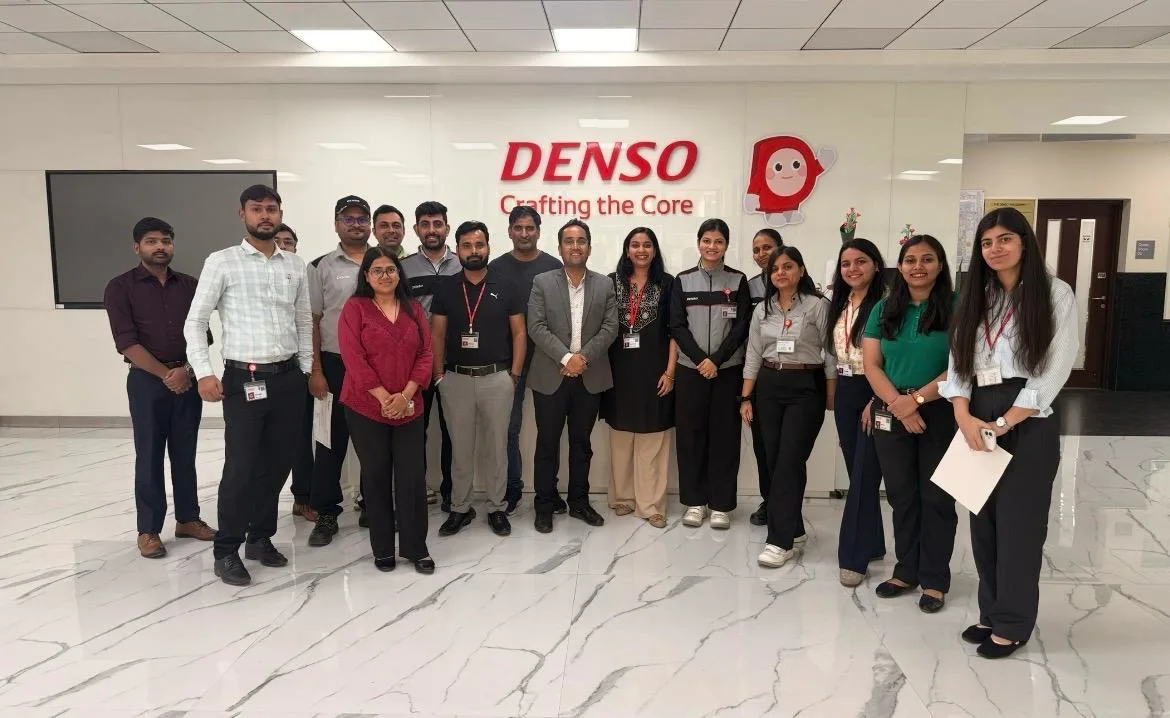
Denso International
Denso International
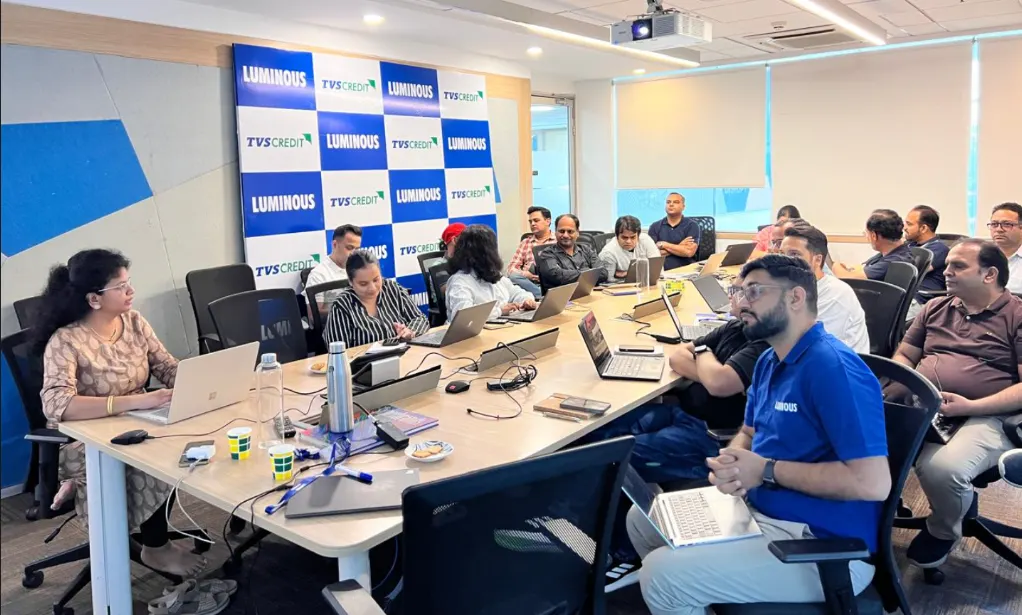
Luminous
Luminous
Bharat Petroleum
Bharat Petroleum
Toshiba Midea
Toshiba Midea
BryAir
BryAir
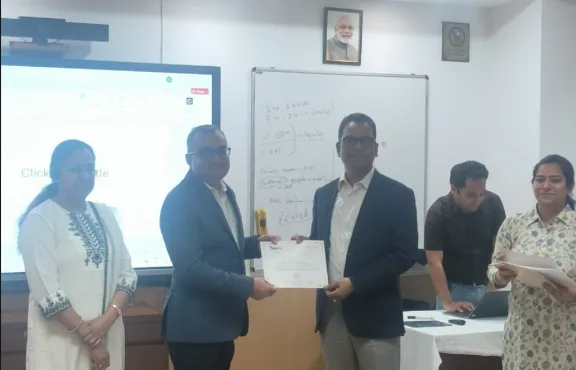
Awarded by GD Goenka University
GD Goenka University
Gyansetu conducted Power BI training for Livpure employees
Livpure
Gyansetu conducted Advanced Excel training for Denso International Employees
Denso International
Gyansetu conducted Full Stack Development training for ReverseLogix employees
ReverseLogix
Gyansetu conducted Advanced Java training for BML Munjal University students
BML Munjal University
Delivering Training To Wedapt
Wedapt
Gyansetu conducted workshop on Cloud Computing and Data Analytics for Manav Rachna University students
Manav Rachna University
Gyansetu conducted Java workshop for GLA University students
GLA University
Gyansetu conducted Data Analytics Workshop for DPGITM students
DPGITM
Certificate Issued to Gyansetu by GD Goenka University
GD Goenka University

FOR QUERIES, FEEDBACK OR ASSISTANCE

Contact Gyansetu Learner Support

Our Learners Testimonials

Sanskriti
Generative AI Engineer
I joined this course because I wanted to learn how tools like ChatGPT actually work beyond just using them. The hands-on projects and practical assignments helped me understand prompt engineering, LLMs, and AI workflows in a very simple way. It was worth every session.
Urvashi
AI Solutions Intern
The best part of this course was how practical it was. Instead of only learning concepts, we built real AI applications using the latest Generative AI tools. It gave me the confidence to start building my own projects.
Yogesh Yadav
Prompt Engineer
I used to spend hours figuring out AI tools on my own. 😄 This course saved me so much time by giving me a clear learning path. Now I know how to write effective prompts, automate tasks, and use AI much more efficiently.
Saurabh
Generative AI Consultant
What I appreciated most was that the course stayed updated with the latest AI trends and tools. We didn't just learn the theory—we actually applied it through hands-on projects and case studies. By the end of the program, I felt confident enough to use Generative AI professionally and recommend it to others.
Harshit
AI Automation Specialist
The projects were my favorite part of the course because they felt like real business challenges. Learning how to integrate Generative AI into workflows opened up so many new possibilities. The guidance from the mentors kept me motivated throughout.
Monika
Digital Marketing Executive
I enrolled to learn how AI could improve my work, and it exceeded my expectations. From content creation to workflow automation, I discovered practical ways to use Generative AI every day. It's one of the most useful upskilling courses I've taken.
Sanju Kanwar
Content Strategist
As someone from a non-technical background, I wasn't sure if I could understand Generative AI. The course was beginner-friendly, and every topic was explained with real-world examples. Shalki Ma'am made even advanced concepts feel approachable.
self assessment
Self Assessment Test

Learn, Grow & Test your skill with Online Assessment Exam to achieve your Certification Goals.

Frequently Asked Questions

Q1. What makes Gyansetu the best institute for a Generative AI course in Noida?

We provide a mix of expert mentorship, applied learning and curriculum always geared to the most in-demand tech skills. We train beyond theory, building actual AI solutions with the latest in tools like GPT-4, Claude, DALL-E, Midjourney and LangChain. We offer one of the most effective Generative AI course in Noida, covering topics like the latest techniques, and technologies with placements through our dedicated placement cell to provide you an edge over the other Generative AI training institute in Noida.

Q2. What are the prerequisites for joining your Generative AI training?

Knowledge of some basic programming concepts (e.g. Python) is useful, though not strictly necessary. We begin from basic principles so that everybody can keep up. Our Generative AI course in Noida will help you go from the fundamentals to advanced techniques of generative AI making it suitable for both beginners and experienced professionals.

Q3. Do you provide placement assistance after the course completion?

Yes, we do support for 100% placement. Our placement cell strives incessantly to provide opportunities in the best companies in Noida, Delhi and Gurgaon. We assist you with resume optimization, mock interviews and schedule for interviews with our hiring partners. We want to turn your Generative AI certification into a job opportunity with the tech industry.

Our curriculum covers all those industry standard tools which will make you job ready. You’ll get hands-on with ChatGPT, OpenAI APIs, Midjourney, DALL-E, LangChain and Hugging Face as well as staple frameworks such as TensorFlow and PyTorch. We’ll also teach you best practices for utilizing workflow automation platforms like Zapier, Make. com and n8n for building practical AI-powered business process solutions. This AI tools certification practices you with implementing the exciting artificial intelligence technologies employers are currently looking for in building, integrating and automation of AI solutions.

We offer both modes to suit your convenience. You may attend online or offline class in Noida for an immersive experience. Each format includes the same high-quality Generative AI training, labs and instructors ensuring you get the best learning experience regardless of your location.

We offer flexible sessions to accommodate different learning preferences. The duration is 2 months for weekdays, 3 months for weekends and 30 days for fast-track options. Each syllabus has been meticulously designed by our master engineers to provide you with comprehensive coverage of both beginner, intermediate and advanced topics with plenty of time for hands-on labs, real projects, and personal support. This Flexible approach allows both working professionals and students to take the course at their own pace without compromising practical learning.

We have affordable rates for our Generative AI course in Noida to support quality education. The fee varies slightly depending on seasonal promotion and batch. We recommend contacting our admission team for the latest and up-to-date tuition fee, duration of this course and for information on easy installment plans or scholarships available to you.

Absolutely. Application is our teaching philosophy. You’ll be a part of varied live projects—such as building intelligent chatbots, automating business workflows and creating AI powered productivity tools. These industry-like projects, which include content generation, workflow automation and image synthesis tools will be the cornerstone of your portfolio, demonstrating your expertise in Generative AI well beyond classroom theory.

Yes, many of our successful students come from non-tech backgrounds. Our Generative AI training starts with foundational concepts to build your confidence. With dedication and our structured guidance, you can master Prompt Engineering and AI tools. We focus on logic and application, which are skills that can be learned regardless of your previous degree.

Professionals with Generative AI skills are currently among the highest paid in the tech industry. Entry-level positions often start between 6-10 LPA, while experienced professionals can command significantly higher packages. The exact salary depends on your prior experience and how well you leverage the skills learned during your Generative AI certification training with us.

Yes, Prompt Engineering is a critical module in our syllabus. We teach you how to craft effective prompts to get the best outputs from models like ChatGPT and Midjourney. Mastering this skill is essential for maximizing the potential of Generative AI models, and we ensure you become proficient in advanced prompting techniques for various business use cases.

Yes, our certification is highly regarded by industry partners and recruiters across the NCR region and beyond. It validates that you have completed rigorous Generative AI training and successfully delivered capstone projects. We have a strong reputation for producing skilled professionals, making our certificate a valuable asset for your LinkedIn profile and resume.

We understand that life can be unpredictable. If you miss a live session, we provide access to high-quality recordings of the class. This ensures you never fall behind in your Generative AI course. You can review the material at your own pace and clarify any doubts during the next session or through our mentorship support channels.

The field of AI evolves rapidly. Our team constantly monitors industry trends and updates our syllabus to include the latest advancements, such as new Large Language Models or updates to tools like GPT-4. We ensure that when you graduate from our Generative AI course in Noida, your skills are current and relevant to the immediate market demands.

Yes, joining Gyansetu gives you access to a vibrant community of learners, alumni, and industry experts. We organize webinars, hackathons, and meetups where you can network with other professionals in the Generative AI space. This network can be invaluable for sharing knowledge, finding job opportunities, and staying motivated throughout your AI training journey.

frequently asked questions by students for courses
Drop us a Query
+91-9999201478

Available 24x7 for your queries

Please enable JavaScript in your browser to complete this form.
Categories