


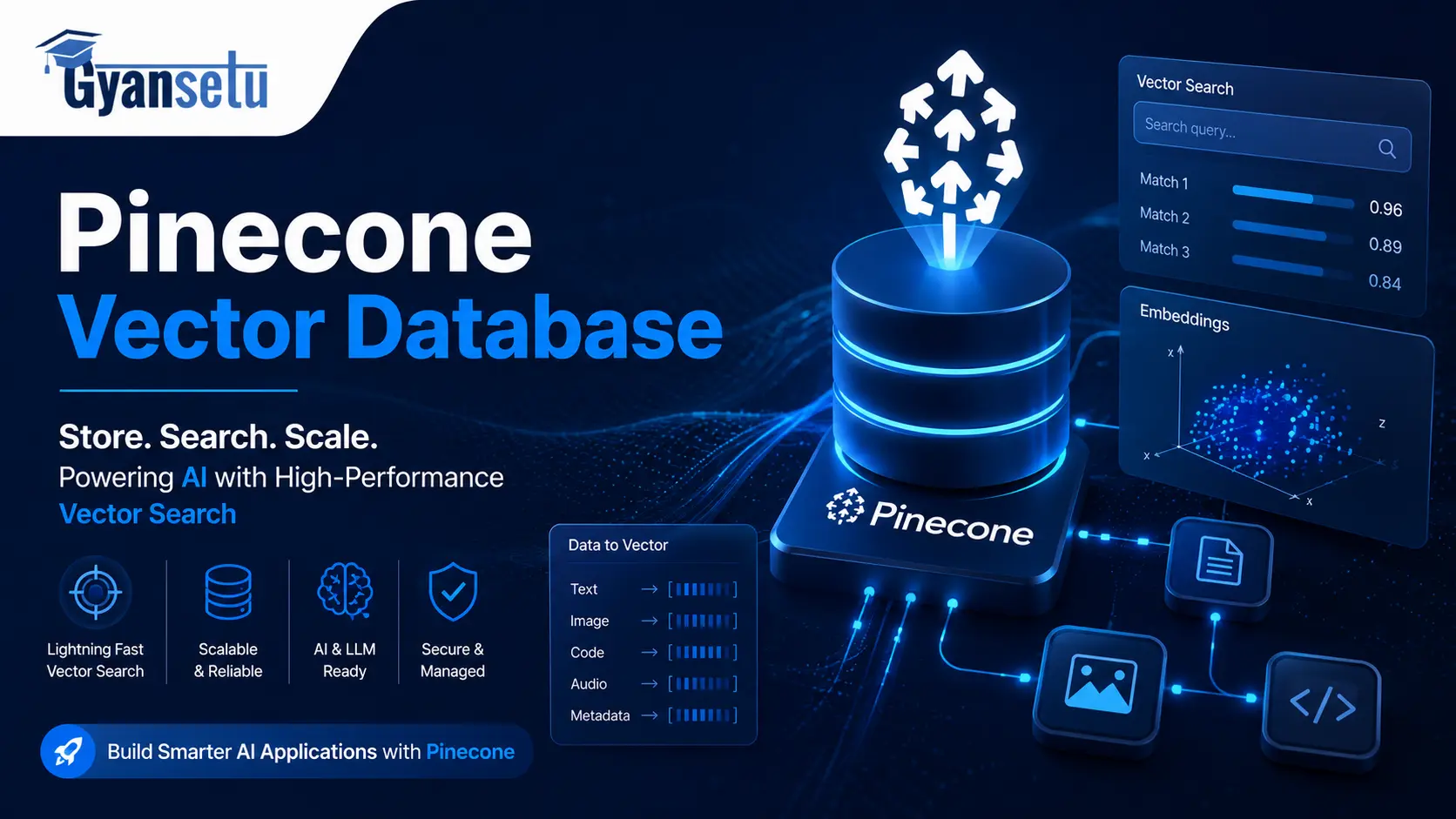
Unlike many other articles on the subject matter, this article will provide both instruction and warnings about the usage of Pinecone.
This difference proves crucial, because Pinecone provides solid infrastructure for developers. But it is also an overkill for quite many projects, very expensive to choose a wrong subscription, and not suitable at all for a couple of very concrete situations where developers often go wrong. Articles that gloss over that information and there are a lot of those, do not help you much.
This is what this guide contains: Pinecone itself, the technology behind it, the changes of 2026 regarding its setup, actual pricing, proper implementation from scratch till the test query, its integration into the RAG pipeline, and finally — the cases when Pinecone is a bad choice.
What Will I Learn?
What Is the Pinecone Vector Database?
Pinecone is a fully managed, cloud-based vector database designed for storage and similarity search in high-dimensional vector embeddings. Simply upload vectors, specify a metric, and let Pinecone handle the rest of the indexing, scaling, and retrieval under the hood. With no need for any servers or clusters to configure yourself, all these processes become invisible.
The company was founded back in 2019 by Edo Liberty, CEO of Pinecone and founder of Amazon AI Labs. Just two years later, Pinecone went live in commercial settings. This was lucky timing, as the generative AI boom happened right around the corner. It seems likely now that Pinecone is the most popular managed vector database in existence, having already been adopted by such companies as Notion, Gong, and Vanguard.
Just one thing worth highlighting before proceeding: Pinecone is closed source and operates only on the cloud. In other words, it doesn’t support self-hosting and has no Docker image available for local deployment. So, while you can communicate with Pinecone via its REST API and various official SDKs (Python, Node.js, Java, and Go), you cannot audit or inspect its underlying codebase. Such limitations could be important when data security comes first.

Generative AI Course & Certificate
Average time: 6 month(s)
Skills you’ll build: Prompt Engineering, RAG Pipelines, LLM Fine-Tuning, LangChain, Vector Databases
How Pinecone Works?
Below are the basics of the process described in simple terms.
The first thing is to get raw data – text, images, or a product description. The data is run through the embedding model (text-embedding-3-small by OpenAI, for example, or the open-source model BGE), resulting in a long string of numbers. This string is called a vector. Items that are similar conceptually (“dog” vs. “puppy” or two articles on the same topic) will generate vectors that are numerically similar. Ones that aren’t related will be numerically different.
Next, the vectors are put into the Pinecone index. A user sends a search query to your application, it embeds the request using the same model, sends a request vector to Pinecone, and asks, “Give me 10 similar vectors to this one.”
This is the difficult part — and the one that Pinecone has been specifically designed for.
A brute-force approach to searching through millions of vectors simply wouldn’t work within the limits of actual application. Instead, Pinecone creates a dedicated index based on the HNSW (Hierarchical Navigable Small World) data structure. Imagine it as a graph representing the connections between each individual vector, where each vector is connected to others similar to it at various “levels.” Searching doesn’t involve looking at all vectors; it starts at a certain point and moves to ever-closer neighbors. The result may be only approximate (“Approximate Nearest Neighbor” search or ANN), but the approximation works well — with Pinecone, you can get 95-99% recall accuracy.

Distance Metrics — Cosine, Euclidean, Dot Product
When you create a Pinecone index, you pick one distance metric. This choice affects every query you run, so it’s worth getting right.
| Metric | What it measures | Best for | Example model |
| Cosine similarity | Angle between two vectors | Text, semantic similarity, NLP | OpenAI text-embedding-3, Cohere Embed |
| Dot product | Magnitude × angle | Pre-normalized embeddings, faster at scale | Models that output L2-normalized vectors |
| Euclidean distance | Straight-line distance between points | Spatial data, image embeddings, coordinates | CLIP, DALL-E image embeddings |
In nearly all text applications, cosine similarity is the way to go. It’s an algorithm that computes similarity without paying attention to magnitude, and hence is ideal when you deal with vectors of varying sizes. In case your embedding algorithm already outputs unit vectors, you can simply use dot product and get similar results.
Euclidean distance, on the other hand, is one metric that you will seldom use.
Pinecone in 2026 — What’s Changed
If you’re following a tutorial from 2023 or even 2024, stop. The Pinecone SDK changed significantly, and several of those older examples will throw errors the moment you run them.
Here’s what’s actually different as of 2026 that affects your day-to-day work:
Serverless is now the default architecture:-
Pod-based indexes still exist, but Pinecone has made it clear that serverless is the direction they’re investing in. For new projects, use serverless. Full stop.
The old pinecone.init() API is deprecated:-
The current SDK initialization is pc = Pinecone(api_key=”…”). DataCamp’s popular tutorial — still ranking in Google — uses the old syntax. It will not work. You’ll see a AttributeError or a deprecation warning depending on your SDK version.
Pinecone Inference:-
This allows you to totally avoid dealing with the embedding model calls yourself — you simply pass the text to Pinecone, which will handle the text embedding using their models before indexing or searching. In less complex scenarios, this will save you one step in your workflow.
Pinecone Assistant:-
Pinecone Assistant is a mature layer for RAG-based chat applications. The library does automatic parsing, chunking, and retrieval of documents, which comes in handy if you’re making a simple knowledge base-powered chatbot without the need for granular control.
BYOC (Bring Your Own Cloud):-
BYOC (Bring Your Own Cloud) is available for public preview on AWS, Google Cloud Platform, and Microsoft Azure. It allows running the Pinecone data plane within your own cloud infrastructure account, which is crucial for organizations with stringent data governance policies that would otherwise exclude Pinecone from consideration.
Native full-text search:-
Native full-text search was added in preview. This means you can now run keyword-based BM25 search alongside vector search within a single Pinecone index, without managing a separate search service.
Serverless vs Pod-Based Indexes — Which One?
This is the question no tutorial answers clearly. Let me fix that.
1. Serverless indexes adjust themselves automatically according to your utilization. Pricing depends on reads per second, writes per second, and storage usage. No additional fee will be charged for idle time — if your application stops working during off-hours, you’ll receive almost nothing on your bill. But this model has a drawback — the latency of a cold start will grow from 200ms to even 2,000ms. This won’t be critical for your regular app, but a real-time chat interface might face issues.
2. Pod-based indexes require hardware resources to be allocated separately for the database. This approach gives predictable latency, around 30ms with the p99 percentile on p2 pods. However, you still pay for these resources regardless of how often you use them, which makes pods a relatively expensive option.
In practice, here’s the decision:
| Scenario | Use |
| Prototyping or early-stage app | Serverless — free tier, zero ops |
| Production app, variable traffic | Serverless — scale-to-zero saves money |
| High-volume, latency-sensitive production | Evaluate pods OR self-hosted Qdrant |
| Seasonal or batch workloads | Serverless — only pay when active |
| Compliance requiring your own cloud | BYOC preview (serverless architecture) |
Weirdly enough, the “just use serverless” advice that Pinecone gives on their own docs is actually correct here. Pod-based indexes made more sense in 2022 and 2023 when serverless didn’t exist. Now they’re a legacy path.
Pinecone Pricing in 2026 — What It Actually Costs
No other article on this keyword tells you what Pinecone costs. That omission is not helpful to you, so here are the real numbers.
Four tiers:
| Plan | Monthly cost | Best for |
| Starter | Free | Prototyping, learning, side projects |
| Builder | $20/month flat | Solo devs and small teams — new in 2026 |
| Standard | $50/month minimum + usage | Production applications |
| Enterprise | $500/month minimum + usage | Large-scale, SLA-backed deployments |
The three billing components on paid tiers, per Pinecone’s pricing page: read units (RUs), write units (WUs), and storage.
Here’s what those numbers look like at real workload sizes:
- 50,000 vectors, light prototyping: Free Starter tier covers this easily
- 1 million vectors, standard RAG app with ~500 queries/day: Roughly $3–5/month on serverless
- 10 million vectors, production app: Roughly $70–120/month on serverless Standard
- 100 million vectors: $700+ on Standard — at this scale, self-hosted Milvus or pgvector on your own infrastructure is often significantly cheaper
First of all, one fact that needs mentioning: true costs of production can be up to 2.5 – 4 times higher than the costs shown by the Pinecone pricing calculator. This happens due to the underestimation of the number of writes. If we talk about workloads for an AI agent, where the amount of data ingestion is significantly higher than the query volume, then the number of writes is even higher than usual.
Getting Started with Pinecone — Step-by-Step Setup
Step 1 — Sign Up and Get Your API Key
Go to pinecone.io, create an account, and log in. You’ll land on the dashboard. Click API Keys in the left sidebar. Copy your default API key — you’ll need it in the next step.
The Starter tier is free with no credit card required. You get enough capacity to run a real prototype or work through this guide without spending anything.

Step 2 — Install and Initialize the Client
bash
pip install pinecone
Note: the package name is now just pinecone — not pinecone-client. If you see pinecone-client in an older tutorial, that’s a red flag that the code may be outdated.
Initialize the client:
python

from pinecone import Pinecone

pc = Pinecone(api_key="YOUR_API_KEY")
That’s it. No pinecone.init(), no environment parameter, no pinecone.deinit(). Older tutorials that show pinecone.init(api_key=”…”, environment=”us-east1-gcp”) are using the deprecated v2 SDK. The code will either fail outright or throw deprecation warnings depending on what version you have installed.
Step 3 — Create Your First Serverless Index
python

from pinecone import Pinecone, ServerlessSpec

pc = Pinecone(api_key="YOUR_API_KEY")

pc.create_index(

    name="my-first-index",

    dimension=1536,       # Must match your embedding model's output size

    metric="cosine",      # cosine | euclidean | dotproduct

    spec=ServerlessSpec(

        cloud="aws",

        region="us-east-1"

    )

)

index = pc.Index("my-first-index")
The dimension parameter is the one that trips people up. It must exactly match the output size of whatever embedding model you’re using:
- OpenAI text-embedding-3-small → 1536 dimensions
- OpenAI text-embedding-3-large → 3072 dimensions
- Cohere embed-english-v3.0 → 1024 dimensions
- BGE-large-en-v1.5 (open-source) → 1024 dimensions
If you create an index with dimension 1536 and then try to upsert a 3072-dimension vector, Pinecone will reject it with a dimension mismatch error. Make sure these match before you start inserting data.
Step 4 — Upsert Vectors with Metadata
python

index.upsert(

    vectors=[

        {

            "id": "doc-001",

            "values": [0.1, 0.2, ...],  # Your 1536-dimensional vector

            "metadata": {

                "text": "Retrieval-augmented generation improves LLM accuracy.",

                "source": "rag_overview.pdf",

                "page": 1,

                "category": "ai"

            }

        },

        {

            "id": "doc-002",

            "values": [0.3, 0.1, ...],

            "metadata": {

                "text": "Vector databases store embeddings for fast similarity search.",

                "source": "vector_db_intro.pdf",

                "page": 1,

                "category": "databases"

            }

        }

    ]

)
The metadata fields are yours to define. Use whatever makes sense for your filtering needs. Pinecone supports string, number, boolean, and list-of-string values in metadata fields.
Step 5 — Query the Index
python

query_vector = [0.1, 0.2, ...]  # Embed your user's query using the same model

results = index.query(

    vector=query_vector,

    top_k=5,

    include_metadata=True,

    filter={"category": {"$eq": "ai"}}  # Optional: filter by metadata

)

for match in results.matches:

    print(f"ID: {match.id}")

    print(f"Score: {match.score:.4f}")   # Higher = more similar (cosine)

    print(f"Text: {match.metadata['text']}")

    print("---")
The score field means different things depending on your metric. With cosine similarity, 1.0 is a perfect match and 0.0 means the vectors are orthogonal (unrelated). Scores above 0.85 typically indicate strong semantic similarity; below 0.6 is usually noise.
Building a RAG Pipeline with Pinecone
RAG (Retrieval-Augmented Generation) is the reason most developers end up looking at Pinecone. The basic idea: instead of relying on an LLM’s training data alone, you retrieve relevant context from your own knowledge base at query time and pass it to the LLM. The LLM generates an answer grounded in your actual documents, not its general knowledge.
Here’s the shape of the full pipeline:
User question → embed the question → search Pinecone for top-k similar chunks → pass retrieved chunks + original question to the LLM → LLM generates a grounded answer.
In practice, using LangChain, it looks like this:
python

from pinecone import Pinecone, ServerlessSpec

from langchain_pinecone import PineconeVectorStore

from langchain_openai import OpenAIEmbeddings, ChatOpenAI

from langchain.chains import RetrievalQA

# Initialize

pc = Pinecone(api_key="YOUR_PINECONE_KEY")

embeddings = OpenAIEmbeddings(

    model="text-embedding-3-small",

    api_key="YOUR_OPENAI_KEY"

)

# Connect to your existing index as a LangChain retriever

vectorstore = PineconeVectorStore(

    index_name="my-first-index",

    embedding=embeddings

)

# Build the RAG chain

llm = ChatOpenAI(model="gpt-4o-mini", api_key="YOUR_OPENAI_KEY")

qa_chain = RetrievalQA.from_chain_type(

    llm=llm,

    retriever=vectorstore.as_retriever(search_kwargs={"k": 5})

)

# Query it

response = qa_chain.invoke({"query": "How does vector similarity search work?"})

print(response["result"])
This translates to 20 lines from nothing to getting your RAG solution up and running. Your retriever fetches the top five relevant chunks from your Pinecone database, adds those chunks as context to the prompt sent to your language model, and your model answers based on the actual contents of your documents.
What I’ve noticed many RAG implementations fail to cover: the quality of your chunks is as important as anything in the entire process. Chunks too short will lose context, while chunks too long will drown out the actual information. What tends to work for most cases is chunks between 300-600 tokens in size with an overlap of 50-100 tokens, but this is something you’ll have to tune based on your documents’ contents.
Metadata Filtering — How to Actually Use It
Metadata filtering is the key difference between a Pinecone demo toy and an actual production application.
When metadata filtering is not available, each search covers your whole dataset. This is suitable when you have a single-domain knowledge database. However, most applications involve structure: various users, multiple types of documents, various time periods. Thus, with metadata filtering, you can blend vector similarities with fields criteria in one query.
python

# Find the most similar documents, but only from the last 30 days,

# and only in the "legal" category

results = index.query(

    vector=query_vector,

    top_k=10,

    include_metadata=True,

    filter={

        "$and": [

            {"category": {"$eq": "legal"}},

            {"created_at": {"$gte": 1740000000}}  # Unix timestamp

        ]

    }

)
Pinecone supports the standard comparison operators: $eq, $ne, $gt, $gte, $lt, $lte, and $in for list membership. You can combine them with $and and $or.
The important point to note here: the metadata filtering will be done before executing the ANN search. If your filtering criteria are too strict such that there are only ten vectors left in your candidate pool, then the top five will be the best five from a very limited number of vectors, which may or may not help you. Just ensure that your filtering criteria make sense but are not too stringent.
Namespaces — Multi-Tenant Isolation
If you’re building a SaaS application where multiple customers each have their own data, namespaces are how you keep them isolated without creating a separate Pinecone index for each tenant.
python

# Write data to a specific namespace

index.upsert(

    vectors=[{"id": "doc-1", "values": [...], "metadata": {...}}],

    namespace="customer-abc-123"

)

# Query only within that namespace

results = index.query(

    vector=query_vector,

    top_k=5,

    namespace="customer-abc-123",

    include_metadata=True

)
Each namespace within an index is completely isolated — a query in customer-abc-123 will never return results from customer-xyz-789. And since namespaces share the same index, you’re not paying for separate infrastructure per tenant.
This is a significant cost and ops win for multi-tenant apps. Worth knowing about before you accidentally design a system that creates hundreds of indexes.
When NOT to Use Pinecone — Honest Limitations
Here’s the section most guides skip entirely. And honestly, it might be the most useful part of this article.
Pinecone has good infrastructure. But four scenarios come up regularly where another option is clearly better:
Scenario 1: You’re already on Postgres and have under 5 million vectors. Use pgvector. It’s a Postgres extension that adds HNSW-indexed vector search to tables you already have. At this scale, pgvector with an HNSW index queries 1 million vectors in 5–20ms — comparable to Pinecone serverless for most workloads, at no extra cost beyond your existing Postgres instance. No new vendor. No new bill. No new infrastructure. The math often makes pgvector an obvious choice for teams already running Postgres who don’t have a compelling reason to add a separate managed service.
Scenario 2: You need open-source with self-hosting. If your project requires full infrastructure control (whether for compliance, cost at scale, or the ability to audit the code) — Qdrant or Weaviate are your options. Both are open-source, both support HNSW indexing, both have strong Python SDKs. Qdrant in particular has a reputation for being fast and resource-efficient; at 10K+ queries per second on a self-hosted cluster, self-hosting Qdrant can cost 80–90% less than Pinecone Standard at equivalent load.
Scenario 3: You’re prototyping locally and don’t want any cloud setup. Chroma is the answer here. pip install chromadb, zero configuration, runs in memory or with local persistence. It’s not built for production at scale, but for iterating on a RAG prototype before you’ve decided on your production stack, nothing is faster to set up.
Scenario 4: You’re working with hundreds of millions or billions of vectors. At that scale, Milvus (self-hosted) or Zilliz Cloud (managed Milvus) is the right call. Pinecone handles large datasets, but at the cost and control trade-offs at billion-scale, Milvus was built for exactly that problem.
Pinecone vs pgvector — The Most Common Trade-off
| Pinecone Serverless | pgvector (Postgres) | |
| Setup time | ~5 minutes | ~30 minutes (or less if you’re already on Postgres) |
| Infra to manage | Zero | Your Postgres instance |
| Cost at 1M vectors | ~$3–5/month | Included in your Postgres cost |
| Cost at 50M vectors | Significant | Depends on instance size |
| Scale ceiling | Billions | Practical limit ~100M vectors before tuning gets complex |
| Latency (serverless) | 5–10ms p50, 200ms+ cold | 5–20ms with HNSW, consistent |
| Best for | Standalone AI app, no existing Postgres | Team already on Postgres, cost-sensitive |
The short answer: if you don’t have Postgres, start with Pinecone. If you do, try pgvector first and only switch if you outgrow it.
Pinecone vs Chroma — Prototyping vs Production
Chroma is essentially zero-config local vector search. For learning, prototyping, and building demos, it’s hard to beat. The problem is it doesn’t scale beyond maybe a few million vectors reliably, and it has no managed cloud offering. Use Chroma to prove out your idea, then migrate to Pinecone (or one of the alternatives above) when you’re ready for production.
Pinecone Use Cases — What People Are Actually Building
1. Knowledge base Q&A / internal document search:
The enterprise imports its Confluence Wiki, PDF files, and Notion pages to Pinecone. Users pose questions to the system using natural language; the system identifies the most relevant document fragments and passes them through an LLM. The response references the source documents. This is the most common scenario for Pinecone in 2026.
2. E-commerce semantic search:
Rather than relying on keyword matching, product search delivers results that are contextually relevant to the search term. The search phrase “wide feet running shoes” delivers results for products whose descriptions cover the aspects of comfort, width, and athleticism despite none of these terms being used together in the search phrase.
3. Recommendation systems:
The user activity, including the number of views, purchases, and ratings, is captured and saved in Pinecone. Upon making a request for recommendations, the preference vector is matched to the entire collection of products using the embeddings. This technique is used by Spotify in building playlists.
4. Duplicate and near-duplicate detection:
To detect plagiarism or duplicate entries in the system, you embed new documents and check whether any document in your corpus exceeds a similarity threshold. Semantically equivalent but syntactically distinct documents (paraphrases or product listing duplicates) can be identified, which could not have been otherwise by keyword searching alone.
5. Multimodal image search
You use models such as CLIP to encode images and text in one vector space. A user then searches “red sneaker with white sole” and receives image search results despite there being no text labels associated with the images.

Data Science Course
Program Highlights
✓ 6 Months Industry-Focused Program
✓ Live Classes by Industry Experts
✓ 15+ Real-World Projects
✓ Resume & Interview Preparation
✓ Placement Assistance
Skills You’ll Build
Python • SQL • Power BI • Statistics • Machine Learning • Generative AI
FAQs
Q1. Is Pinecone free?
Ans. Absolutely. The Starter package comes at zero cost with no restrictions on time or any form of payment. As of the year 2026, this version provides sufficient storage capacity to make an excellent prototype, approximately 100,000 vectors in standard size. It will be necessary to step up to the Builder ($20 monthly) or Standard ($50 monthly) package to have more vectors.
Q2. Can I self-host Pinecone?
Ans. No. Pinecone is proprietary software that can only be used through its managed cloud offering. It cannot be downloaded, containerized, or deployed anywhere other than their hosted version. The BYOC offering (preview version) uses your own cloud infrastructure from AWS, GCP, or Azure to host the data plane, but the control plane remains under Pinecone management.
For fully self-hosted options for vector search, you should check out Qdrant, Weaviate, and Milvus.
Q3. What embedding model should I use with Pinecone?
Ans. For most text use cases: OpenAI text-embedding-3-small is a good starting point. It produces 1536-dimension vectors, costs a fraction of a cent per thousand tokens, and has strong performance on most retrieval benchmarks.
For open-source: BAAI/bge-large-en-v1.5 (1024 dims) and intfloat/e5-mistral-7b-instruct (4096 dims) are among the strongest options as of early 2026. The tradeoff with larger open-source models is that you need to run inference yourself, which adds latency and compute cost.
Match your index dimension to your model’s output. Mismatched dimensions are the #1 source of errors in new Pinecone setups.
Q4. What’s the difference between Pinecone and a traditional database?
Ans. A traditional database answers “give me the row where user_id = 42.” Pinecone answers “give me the 10 items most similar to this query.” Different operations, different indexing strategies, different performance characteristics. A SQL WHERE clause does exact matching. Pinecone does approximate semantic matching.
In practice, most production systems use both: Pinecone for semantic retrieval, a relational database for structured metadata and business logic.
Q5. How fast is Pinecone?
Ans. Serverless: about 5ms-10ms p50 latency under load. After the application has been idle for some time, the latency of the first request due to a cold start can reach 200ms-2,000ms.
Pod-based indexes: p99 latency around 30ms under normal load on p2 pods.
The latency offered by serverless architecture will be adequate for the majority of use cases. If low-latency applications such as real-time chat are required, use pods or another alternative.


